

How to Connect Bowers & Wilkins Headphones/Speakers to TV?
How to Connect your Bowers & Wilkins Headphones and/or Speakers to TV Wirelessly via Bluetooth?
Want to connect your Bowers & Wilkins Bluetooth Wireless Headphones/Speakers to your TV and listen to TV through them?
No problem! There are TWO ways to do it.
If your TV has built-in Bluetooth capability
(please check your TV's user manual), here's what you do:
1. Get your B&W Headphone into pairing mode (Please scroll to the bottom of the page or see your B&W user manual.)
2. Go into your TV's Bluetooth menu, search & select your B&W Headphone to connect.
3. You may adjust volume via your TV's remote control.
If your TV does NOT have built-in Bluetooth
Or if you'd like to connect MORE THAN ONE PAIR of headphones to your TV simultaneously, you'll have to connect using a Bluetooth Audio Adapter, somthing like these:
Avantree Oasis Plus (Learn More) - Highly Recommended due to aptX-HD Support (Most B&W Headphones also support aptX HD).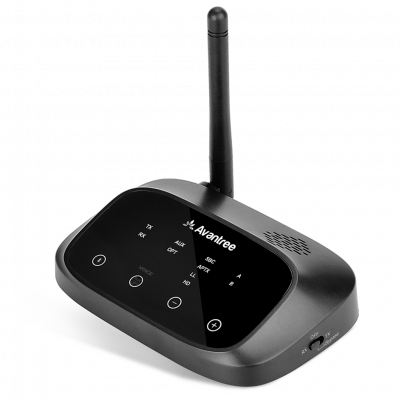
Avantree Orbit (Learn More)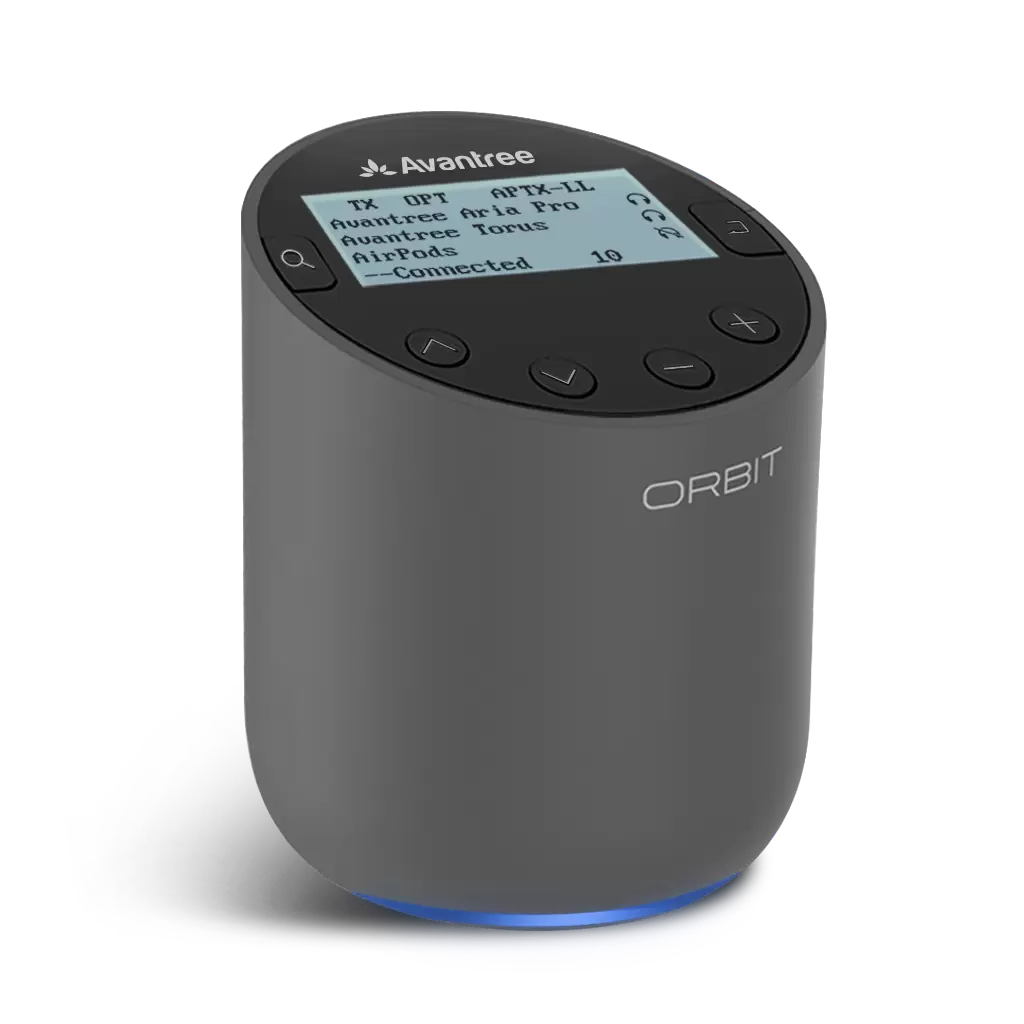
With these, you'll be able to:
- Get extended Bluetooth Range.
- Connect up to TWO PAIRS of headphones to your TV (adapter) simultaneously.
- In the case of Oasis Plus and Orbit, it can be used simultaneously with a SoundBar/Stereo Receiver (AVR) while sharing ONE Digital Optical Port (See THIS ARTICLE for more details regarding this function.)
Here are the Instructions of Connecting using an Adapter:
1. Connect your Bluetooth adapter to Power.
2. Connect the Bluetooth adapter to TV. Our adapters support Digital Optical (aka TOSLINK or SPDIF,) 3.5mm Auxiliary (aka Headphones Jack,) and RCA (Red/White) Audio Output Ports. Please see your adapter's user manual for more details.
3. Get your B&W Headphones into pairing mode (Please scroll to the bottom of the page or see your B&W user manual.)
4. Get your Bluetooth adapter into Bluetooth Pairing mode as well. Please see your user manual if you're not sure how.
5. Keep your B&W Headphone close to the adapter until they connect.
6. Once connected, if you're using Digital Optical connection, please go to your TV settings menu and change your Digital Audio Format to PCM.
7. And you'd be good to go
Below is a list of how to get B&W's most popular headphones into Bluetooth Pairing Mode, just for your convenience.
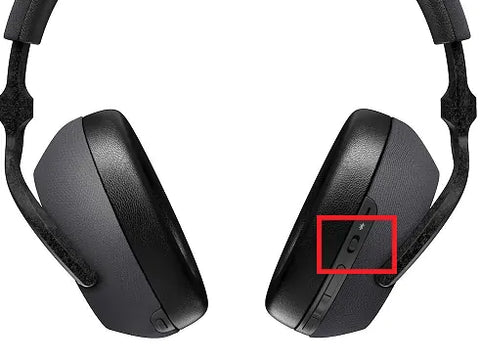
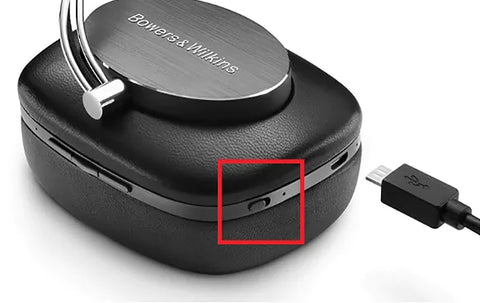
Bowers & Wilkins PX7: With the headphones switched on, press and hold the combined Bluetooth/power button directly inwards for two seconds. The indicator will flash BLUE and the headphones will play a cue as they enter Pairing Mode.
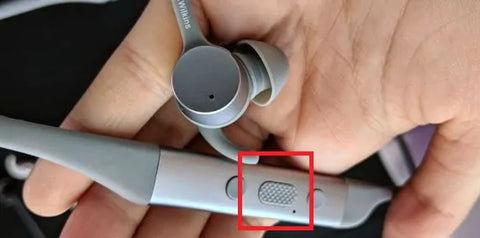
Bowers & Wilkins PI4 (PI3): press and hold the power button for 5 seconds, let go when the indicator blinks BLUE and when an audible cue is presented.
Bowers & Wilkins P7: With P7 Wireless switched on, press and hold the Bluetooth button for 2 seconds. The indicator will flash BLUE and P7 Wireless will provide audible feedback as it enters “pairing” mode.
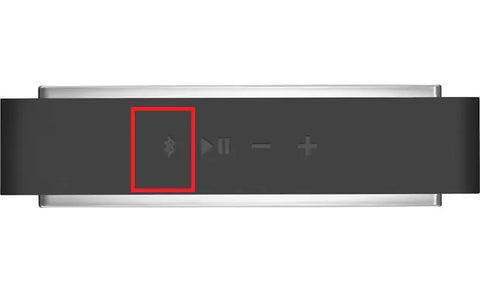
T7 Portable Speaker: Press and hold the Bluetooth button on top for 2 seconds, the indicator will begin to flash BLUE.
FAQs
How do I connect Bowers & Wilkins Bluetooth headphones or speakers to a TV with built-in Bluetooth?
Put your Bowers & Wilkins headphones or speakers into Bluetooth pairing mode, then access your TV’s Bluetooth menu to search for and select your device. Once connected, you can control the volume using your TV remote. Check your TV manual to confirm it supports Bluetooth.
What if my TV does not have built-in Bluetooth?
If your TV lacks built-in Bluetooth, use a Bluetooth audio adapter like the Avantree Oasis Plus or Avantree Orbit. Connect the adapter to your TV’s audio output (Digital Optical, 3.5mm, or RCA), then pair your Bowers & Wilkins headphones or speakers with the adapter for wireless audio.
What are the benefits of using a Bluetooth adapter like Avantree Oasis Plus?
The Avantree Oasis Plus extends Bluetooth range, supports aptX-HD for high-quality audio, allows connection of up to two pairs of headphones simultaneously, and can work alongside external speakers like sound bars using a single digital optical port.
How do I put popular Bowers & Wilkins headphones into Bluetooth pairing mode?
For PX7, press and hold the combined Bluetooth/power button for 2 seconds until the indicator flashes blue. For PI4 or PI3, hold the power button for 5 seconds until the blue light blinks. For P7, hold the Bluetooth button for 2 seconds until it flashes blue. For T7 speakers, hold the Bluetooth button for 2 seconds until it flashes blue.
What settings should I adjust after connecting via a Bluetooth adapter?
After pairing your headphones with the adapter, if using a digital optical connection, go to your TV’s audio settings and change the digital audio format to PCM to ensure proper sound transmission and compatibility.
Please contact us at support@avantree.com if you have any question.