Step 01
Choose your TV audio OUT
Find one TV port labeled AUDIO OUT.
TaskChoose the first available TV Audio OUT. You will connect only one audio cable.
- Check the TV labels
Use an OUT port, never an IN port.
- Choose Optical first
Use OPTICAL or DIGITAL AUDIO OUT when available.
Recommended
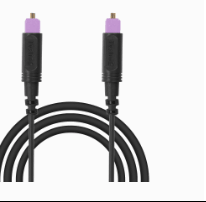
Optical cablePurple tips - No Optical? Use AUX
Use HEADPHONES, AUX OUT or AUDIO OUT.

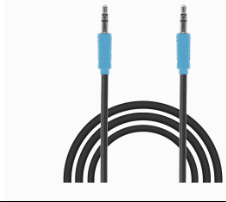
AUX cableBlue ends - No AUDIO OUT? Use an adapterHDMI ARC/eARC onlyUse the Avantree HAX06 HDMI ARC adapter ↗ to create an Optical output.RCA OUTUse an RCA-to-3.5 mm adapter.Requires a separate adapter.
DoneYou have chosen one TV audio output. Use the matching cable in Step 02.
If notSend Support a clear photo of all TV ports with the TV brand and model.