Open Beltone HearMax app


Interactive user guide
Listen to Auracast directly, or use a receiver.
Step 1 · Choose your setup
Select your Beltone model below. If it isn’t listed, choose an option that matches your hearing aids.
 Auracast hearing aidsCommence
 You can hear music from your phone through your hearing aids

 You can switch your hearing aids to “T” or “MT”
Look for a T or MT setting in your hearing aid app or paperwork. If you cannot find one, ask your hearing care professional.
Step 2 · Join the broadcast
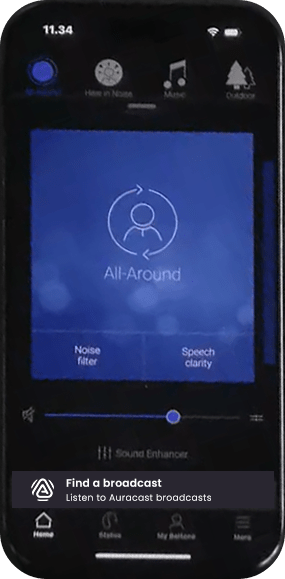
Tap Find a broadcast.
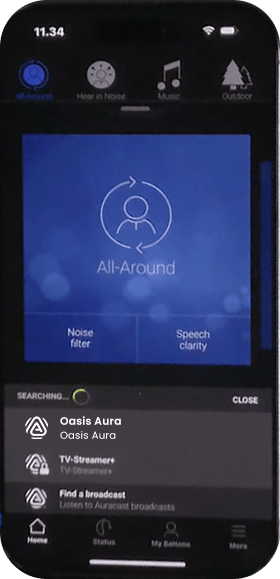
Choose the broadcast you want to hear.
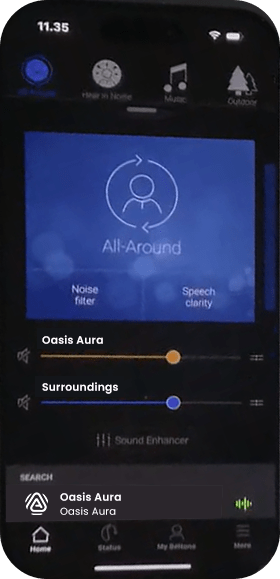
Set the broadcast and surroundings levels to a comfortable balance.
Other ways to listen
Aura C phone hearing aids
Aura C does not pair directly with hearing aids.
Set up Aura C →Switch to T or MT. The neckloop sends the broadcast to your hearing aids.
AuraCoilBuilt-in neckloop
Set up AuraCoil →AuraClipNeeds a compatible 3.5 mm T-coil neckloop
Set up AuraClip →FIX A PROBLEM
Recognize: no expected broadcast name is listed. Action: move closer, confirm the transmitter is broadcasting, leave ordinary Bluetooth pairing, and scan again in the Beltone HearMax app. Expected: the broadcast name appears. If it does not, restart the hearing aids and phone, then confirm Commence, Envision, or Serene compatibility.
Action: select the broadcast again and raise streaming volume gradually. Expected: audio plays through both hearing aids. If it differs, note the broadcast name, phone model, hearing-aid model, and what the Beltone HearMax app shows.
Action: move closer, use one listening path, and mute the TV speaker when practical. Expected: stable audio without duplicate voices. Persistent problems need Beltone- or transmitter-specific support.
REFERENCE