

Bring Your Own Auracast Devices
Use your existing Auracast™-enabled headphones, earbuds, or hearing aids to join the broadcast.
Open standard. Certified compatibility. Your device, your choice.
💡 Why We Recommend Avantree Headphones?
While third-party devices work, Avantree products are optimized for the easiest user experience:
Turn On & Work
Instant auto-connection without searching for channels.
No App NeededNo smartphone required to install or manage apps.
Zero SetupNo complex configuration—perfect for all users.
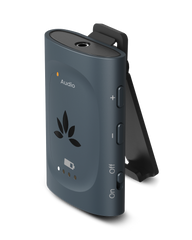
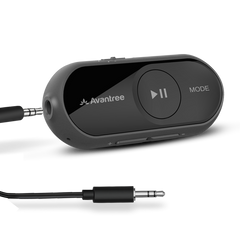
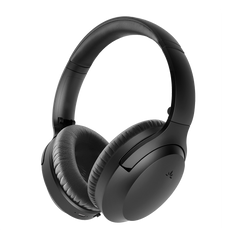
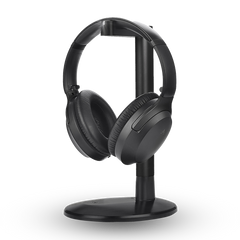
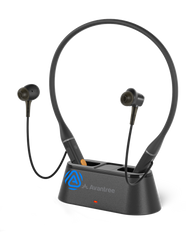


| Product Name | AuraClip Receiver | AuraGo | Aria Aura | Aria Aura T | Loop Dock Neckband | Harmony A1 Speaker | Infinity NC / SO | ShareCast Solo |
|---|---|---|---|---|---|---|---|---|
| Best for | Venues offering clip-on receivers | Private multi-function clip-on receivers | Users who prefer over-ear comfort | Private multi-function earbuds | Open audio for shared or extended areas | Personal BYO users (NC model with ANC support) | Private multi-function clip speaker | |
| Auto-join on power on* | Yes | Yes | No | No | Yes | Yes | No | No |
| Manual scan via device button | N/A | N/A | Yes – press & hold Play for 5 seconds | N/A | N/A | N/A | Yes, Hold Play button for 2s | |
| Scan via Avantree app | N/A | Yes | App support planned (firmware update required) | Coming Soon | N/A | Yes | N/A | |
| Scan via Android Auracast Assistant | N/A | Yes | Yes | Yes | Yes | Yes | Yes | |
* Auto-join works when a compatible Auracast broadcast is available.
Notes:
• All devices listed are Auracast receivers only.
• All devices listed are Auracast receivers only.
• iOS devices currently cannot scan for Auracast broadcasts directly.
• Feature availability may vary by firmware version.
How Listeners Join an Auracast Broadcast
1
Broadcast is available
The venue starts an Auracast audio broadcast.
2
Users connect
Some devices auto-join. Others scan via device button or Android Auracast Assistant.
3
Start listening
No pairing. No channel tuning.
Frequently Asked Questions
Do all devices auto-join?
Most Avantree devices and some hearing aids support auto-join. Other devices may require manual connection.
Is an app required?
No app is required for Avantree devices. Some third-party devices may use the Android Auracast Assistant.
Does iOS support Auracast scanning?
iOS support for Auracast is currently limited. Please check Apple’s latest device specifications.
Can multiple users listen at the same time?
Yes. Auracast supports unlimited listeners simultaneously, depending on the broadcast source.

Looking for Venue Event Devices?
You are probably looking for
Venucast
— Assistive Listening, Instant Venue Audio & Guided Tour Systems.
 Assistive Listening
 Instant Venue Audio
 Guided Tour
- Choosing a selection results in a full page refresh.