MediaCast Auracast TV Transmitter HDMI ARC In, Bluetooth Adapter for Auracast Hearing Aids & Headphones, HDMI ARC & Optical In, Volume Boost
MediaCast supports Bluetooth or Auracast audio transmission from a TV
MediaCast streams TV audio to Auracast hearing aids and headphones
Audikast 4 transmits TV audio to compatible Auracast hearing aids.
MediaCast PC tool for firmware updates and audio broadcast settings
MediaCast volume boost for clearer and louder TV listening
MediaCast connects to modern TVs through HDMI ARC, optical, or AUX

MediaCast | Auracast TV Transmitter HDMI ARC In

Auracast TV Transmitter with HDMI ARC

Send TV audio to compatible Auracast hearing aids and listening devices, or to one Bluetooth headphone.

Sale price $119.99 Regular price $199.99
Save $80.00
Subtotal: $119.99

Add-on & Accessories:

  • 2-Year Warranty
  • 60-Day Returns
  • Bulk Discounts
  • Fast Shipping
Price $119.99
MediaCast Auracast TV Transmitter HDMI ARC In, Bluetooth Adapter for Auracast Hearing Aids & Headphones, HDMI ARC & Optical In, Volume Boost

MediaCast | Auracast TV Transmitter HDMI ARC In

$199.99 $119.99

MediaCast | Auracast TV Transmitter HDMI ARC In

$199.99 $119.99

Best for

  • TVs with HDMI ARC/eARC, optical, or 3.5 mm audio output
  • Compatible Auracast hearing aids, earbuds, headphones, and receivers
  • One regular Bluetooth headphone or speaker in Bluetooth mode
  • Hearing aids without Auracast, using a bridge device such as AuraCoil or C83

Not for

  • Two Bluetooth headphones at the same time
  • Auracast and Bluetooth modes running together
  • Soundbar passthrough without an HDMI audio extractor or optical splitter

Check before buying

TV & listener compatibility

Choose your TV connection, then choose Auracast or Bluetooth. MediaCast cannot use both wireless modes at the same time.

HDMI ARC / eARC Works directly Connect MediaCast to the TV's HDMI ARC/eARC port.
Optical / TOSLINK Works directly Use the TV's optical output; select PCM/Stereo if there is no sound.
3.5 mm AUX Works directly Use the TV's headphone or audio output, not an audio input.
Not sure about your hearing aids? Auracast hearing aids connect directly. Other hearing aids can connect through a bridge device such as AuraCoil or C83.
Check hearing aid compatibility

Bluetooth mode supports one headphone. Auracast mode supports multiple compatible listeners. The two modes cannot run together.

Full compatibility detailsOpen
TV input
HDMI ARC / eARC Supported Direct wired input from a compatible TV HDMI ARC/eARC port.
Optical / TOSLINK Supported Direct wired input. PCM/Stereo output may be required.
3.5 mm AUX Supported Direct wired input from a headphone or analog audio output.
Wireless output
Auracast hearing aids Check model The exact hearing-aid model must support Auracast broadcast audio.
Non-Auracast hearing aids Bridge device required Use a compatible bridge device such as AuraCoil or C83.
Auracast earbuds, headphones, or receivers Supported Join the MediaCast Auracast broadcast using the listener device's supported method.
One Bluetooth headphone or speaker Supported Use Bluetooth mode for one regular Bluetooth listening device.
Two Bluetooth headphones Not supported Bluetooth mode supports one connected listening device.
Auracast and Bluetooth together Not supported Select either Auracast mode or Bluetooth mode.
Shared listening
TV speakers plus MediaCast Depends on TV Some TVs can keep their speakers on while using an external audio output; check the TV audio settings.
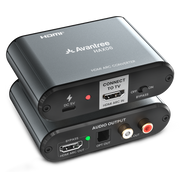
Soundbar plus MediaCast Accessory required MediaCast has no audio passthrough. Use HAX06 or a suitable optical splitter.

Hearing aids: Auracast models connect directly. Other hearing aids require a compatible bridge device such as AuraCoil or C83.

Soundbar users: Plan for HAX06 or an optical splitter if the soundbar and MediaCast must receive TV audio together.

Product highlightsTap to open
  1. HDMI ARC for modern TVsConnect directly when the TV has HDMI ARC/eARC but no optical output.
  2. Auracast hearing-aid streamingBroadcast TV audio to compatible Auracast hearing aids and listening devices.
  3. Auracast or BluetoothSwitch modes for Auracast listeners or one regular Bluetooth headphone or speaker.
  4. Volume BoostCalibrate weak TV output for a stronger wireless listening level.
  5. PC tool supportUpdate firmware and customize the broadcast name, password, and QR code where supported.
SpecificationsTap to open
Bluetooth version
Bluetooth 5.4 with Auracast
Auracast codec
LC3
Classic Bluetooth codecs
aptX Adaptive, aptX, SBC
Profiles
Auracast Broadcast, A2DP
TV audio inputs
HDMI ARC, optical/TOSLINK, 3.5 mm AUX
Wireless outputs
Auracast broadcast or one Bluetooth audio connection
Latency
Auracast 50–70 ms; aptX Adaptive 60 ms+; aptX about 120 ms; SBC about 220 ms
Wireless range
Up to 330 ft / 100 m in ideal conditions
Power
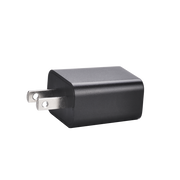
DC 5 V / 1 A via USB-C; use a USB charger or TV USB port
Firmware interface
USB-C with DFU support
Dimensions
9.5 × 9 × 2.5 cm
Weight
90 g
Works withTap to open
What's in the boxTap to open

Packaging list pending confirmation.

Frequent Ask QuestionsTap to open
Will MediaCast work with my TV?

Yes if the TV has HDMI ARC/eARC, optical/TOSLINK, or a 3.5 mm audio output. For optical, select PCM/Stereo if there is no sound.

Will it work with my hearing aids?

Auracast hearing aids connect directly after model compatibility is confirmed. Other hearing aids can connect through a compatible bridge device such as AuraCoil or C83.

Can I connect two Bluetooth headphones?

No. Bluetooth mode supports one Bluetooth headphone or speaker.

Can Bluetooth and Auracast run at the same time?

No. Choose either Auracast mode or Bluetooth mode.

Can I keep using my TV speakers?

It depends on the TV. Some TVs can play through their speakers and an external output together; check the TV audio settings.

Can I keep using my soundbar?

MediaCast has no audio passthrough. Use HAX06 or a suitable optical splitter when the soundbar and MediaCast need audio together.

ComparisonTap to open
Choose by need
TV inputsHDMI ARC, optical, AUXOptical, AUX
Auracast listenersCompatible hearing aids and devicesCompatible hearing aids and devices
Bluetooth listenersOneOne
Auracast + Bluetooth togetherNoNo
Soundbar passthroughNo; bridge accessory requiredNo; bridge accessory required
Wireless rangeUp to 330 ft / 100 mUp to 330 ft / 100 m
Best fitModern TVs with HDMI ARCTVs with optical or AUX