Skip to guide
PDF Guide
PL

Interactive user guide

Crescendo 3D Setup Guide

TV headphone setup

Connect by Optical, HDMI ARC, or AUX, then listen through the Crescendo 3D headphones. You can also pair the headphones directly with a Bluetooth TV.

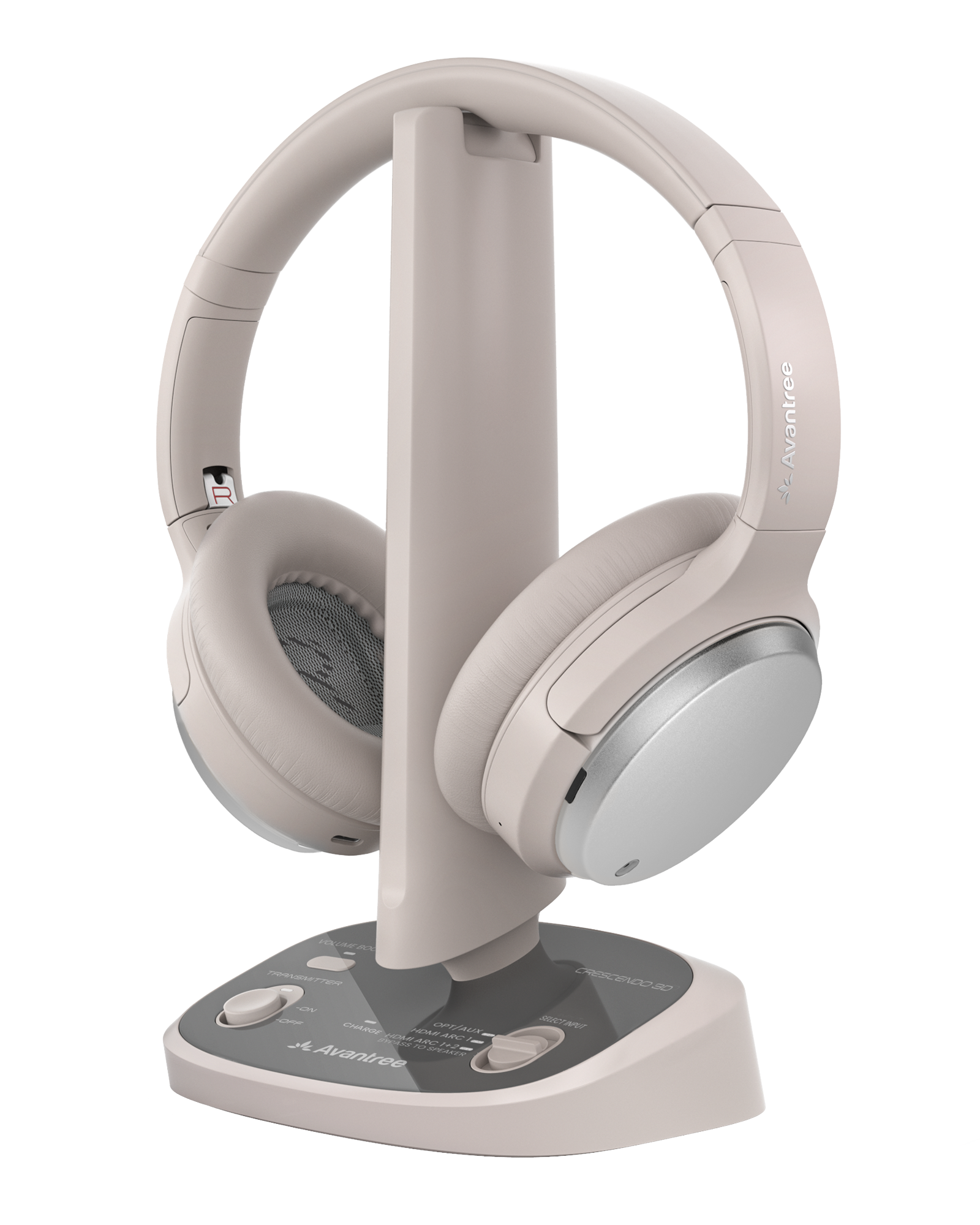
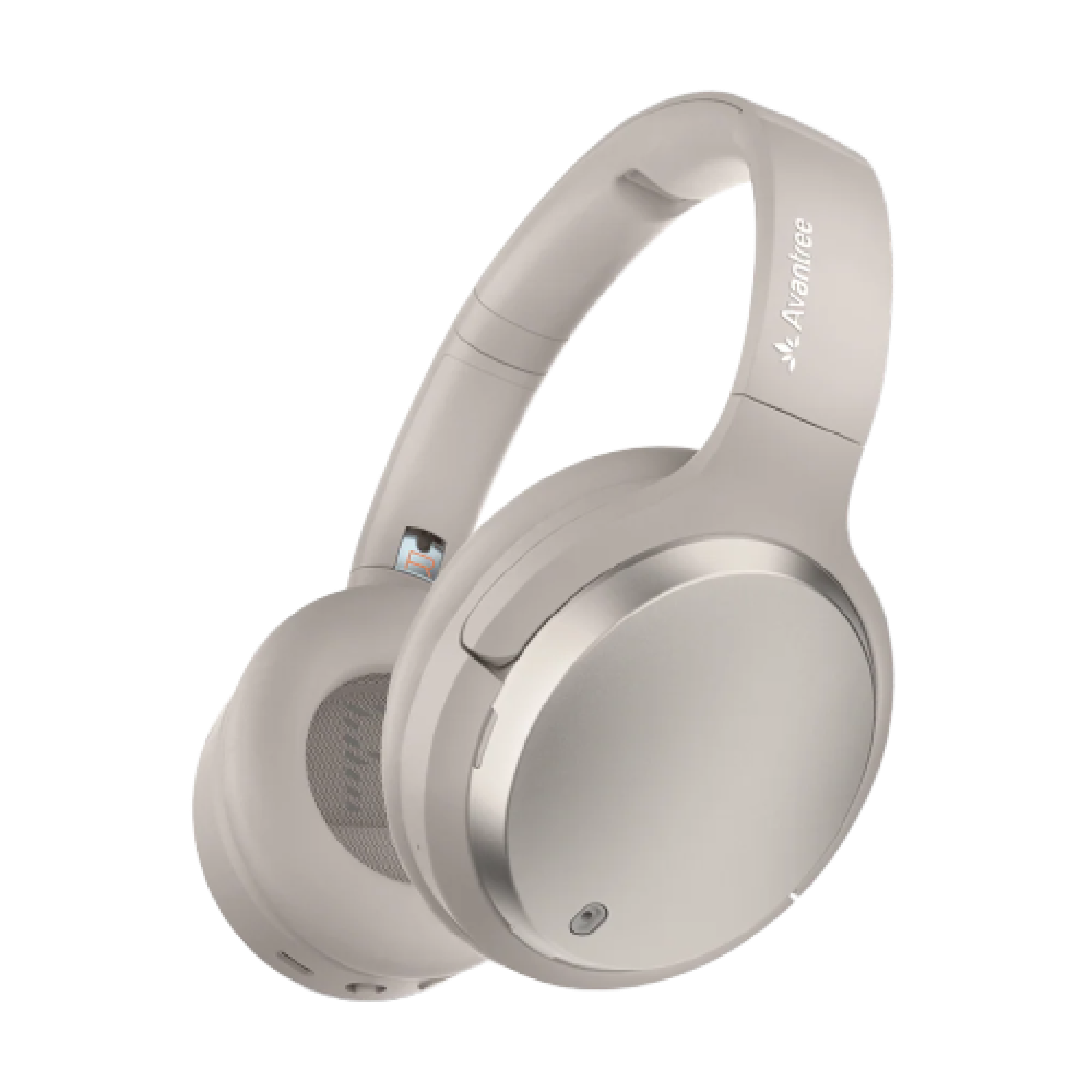
Crescendo 3D headphones with transmitter charging dock HDMI ARC · Optical · AUX Immersive 3D sound · up to 60 hours

Setup

Get TV sound in 4 steps.

Optical is recommended. Use one connection.

Step 1

Choose your TV audio OUT

Choose the first available output below.

Which TV output do you have?

Choose your TV connection.

Done Using a soundbar? Complete headphone setup first. Then connect the matching passthrough output.

Step 2

Connect Crescendo 3D to the TV

Power the transmitter, then connect the cable selected in Step 1.

Connect power

  1. Connect USB-C to the transmitter and the included adapter.
  2. Plug into a wall outlet. Slide power to ON.
Watch: power the transmitter

Connect with Optical

  1. Remove both protective caps.
  2. TV OPTICAL OUT → transmitter OPT 1.
  3. Set SELECT INPUT to OPT/AUX.
Diagram showing the TV optical output connected to transmitter OPT 1, USB-C power connected, and the up-down SELECT INPUT control set to OPT/AUX.
Done Next: choose Optical output and PCM on the TV.
Watch: Optical connection

Connect with HDMI ARC

  1. Use the TV port labeled HDMI ARC or eARC.
  2. Connect it to transmitter HDMI ARC 1.
  3. Set SELECT INPUT to HDMI ARC.
Diagram showing the TV HDMI ARC or eARC output connected to transmitter HDMI ARC 1, USB-C power connected, and the up-down SELECT INPUT control set to HDMI ARC.
If not Next: choose HDMI ARC/Receiver, turn eARC off, and select PCM.
Watch: HDMI ARC connection

Connect with AUX / 3.5 mm

  1. TV HEADPHONES / AUDIO OUT → transmitter AUX 1.
  2. Set SELECT INPUT to OPT/AUX.
  3. Raise TV volume.
Diagram showing the TV headphones or audio output connected to transmitter AUX 1, USB-C power connected, and the up-down SELECT INPUT control set to OPT/AUX.
Done Next: choose Headphones output. PCM is not required.
Watch: AUX connection

Step 3 of 4 · TV sound

Optical TV settings

Use your TV remote.

Step 4

Listen with the headphones

Connect the headphones to the transmitter.

Join the base

  1. Move the headphone switch to Base.
  2. Keep the headphones near the transmitter.
  3. Wait until the LED on the headphones turns solid blue, then raise the volume.
If not No sound? Recheck the input selector, TV output, playback, and PCM.
Watch: connect to the base

Daily use

Adjust sound, charge, and connect.

Choose a listening mode

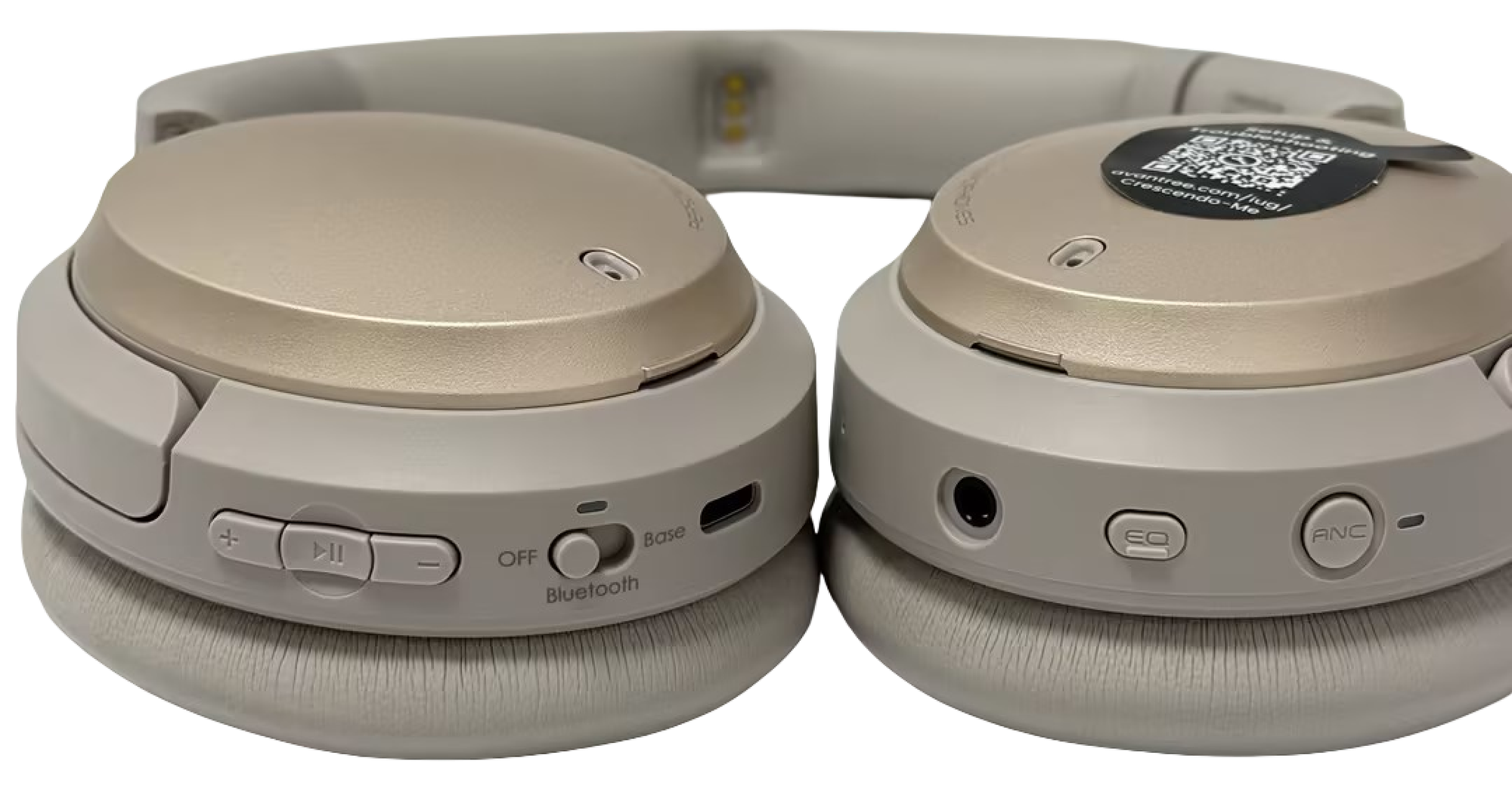
Press the EQ button once to switch between:
  • Balanced → Natural sound
  • Clear Voice → Clearer speech
  • Cinema Sound → Immersive 3D audio
Crescendo 3D headphone controls with the EQ button on the right earcup
Press the highlighted EQ button once to change modes.

Charge the headphones

Use the powered dock or USB-C. Solid red means charging; the light turns off when full (about 2.5 hours).

Watch: charge the headphones

Use headphones with PC / Phone

  1. Move the headphone switch to Bluetooth.
  2. Check that the LED flashes red + blue. If it does not, hold ⏯ for 3 seconds.
  3. On your PC or phone, turn on Bluetooth and select Crescendo 3D.
✓
Connected: the LED turns solid blue.
Watch: pair with a PC or phone

Add More Headphones

The Crescendo transmitter supports unlimited receivers. Add more headphones for family or group listening.

  • Eon Me — personalize sound with a Hearing Profile.
  • Eon 3D — enjoy immersive 3D surround sound.

Open the Add More Headphones Guide →

Soundbar passthrough

Use a soundbar and headphones.

Choose the connection that matches your soundbar.

Optical passthrough
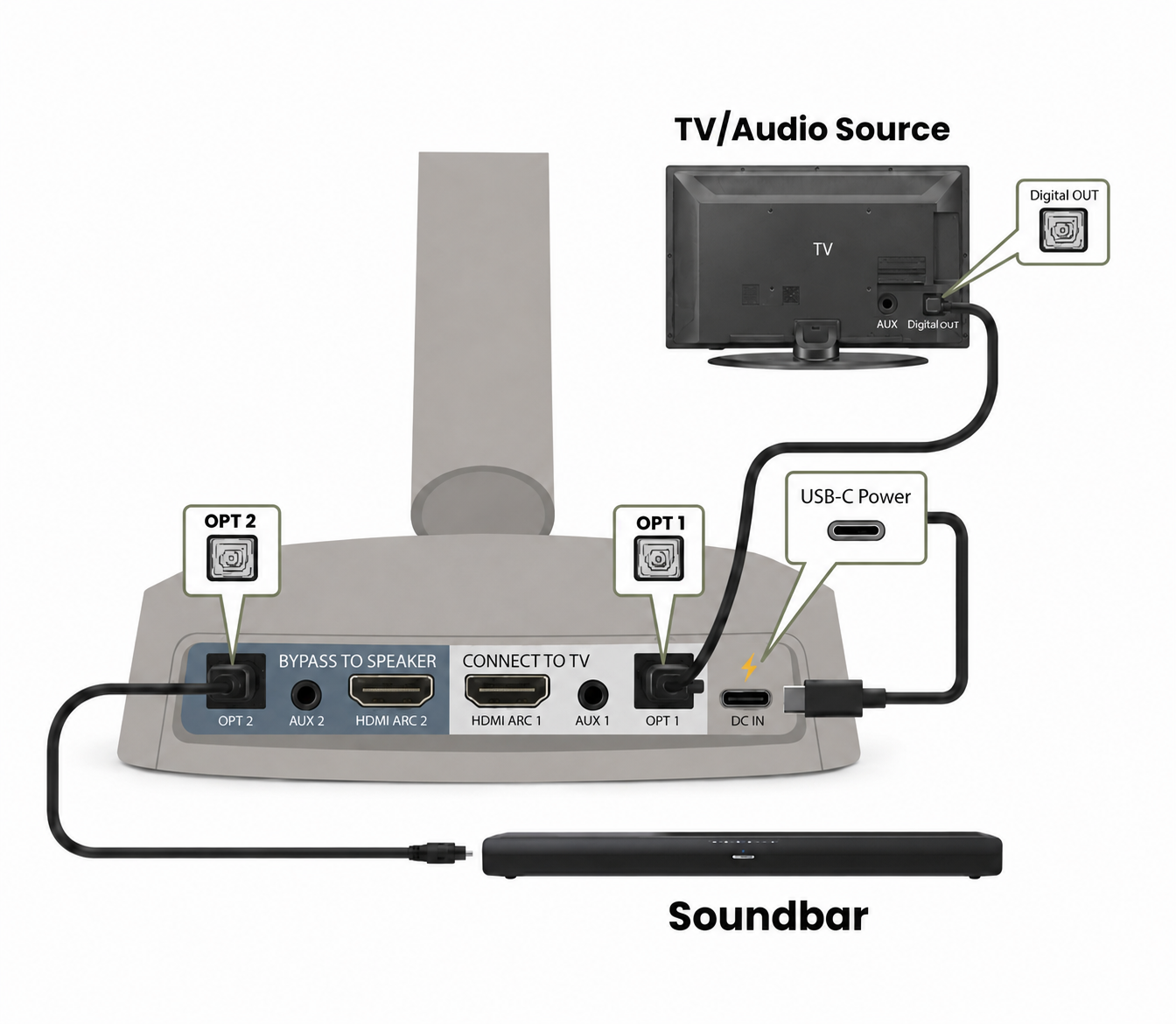
Optical connection

  1. TV OPTICAL OUT → transmitter OPT 1.
  2. Transmitter OPT 2 → soundbar OPTICAL IN.
  3. Set SELECT INPUT to OPT/AUX.
Optical passthrough wiring from TV to Crescendo 3D transmitter and soundbar with Crescendo 3D headphones receiving wireless audio
TV → OPT 1; OPT 2 → soundbar.

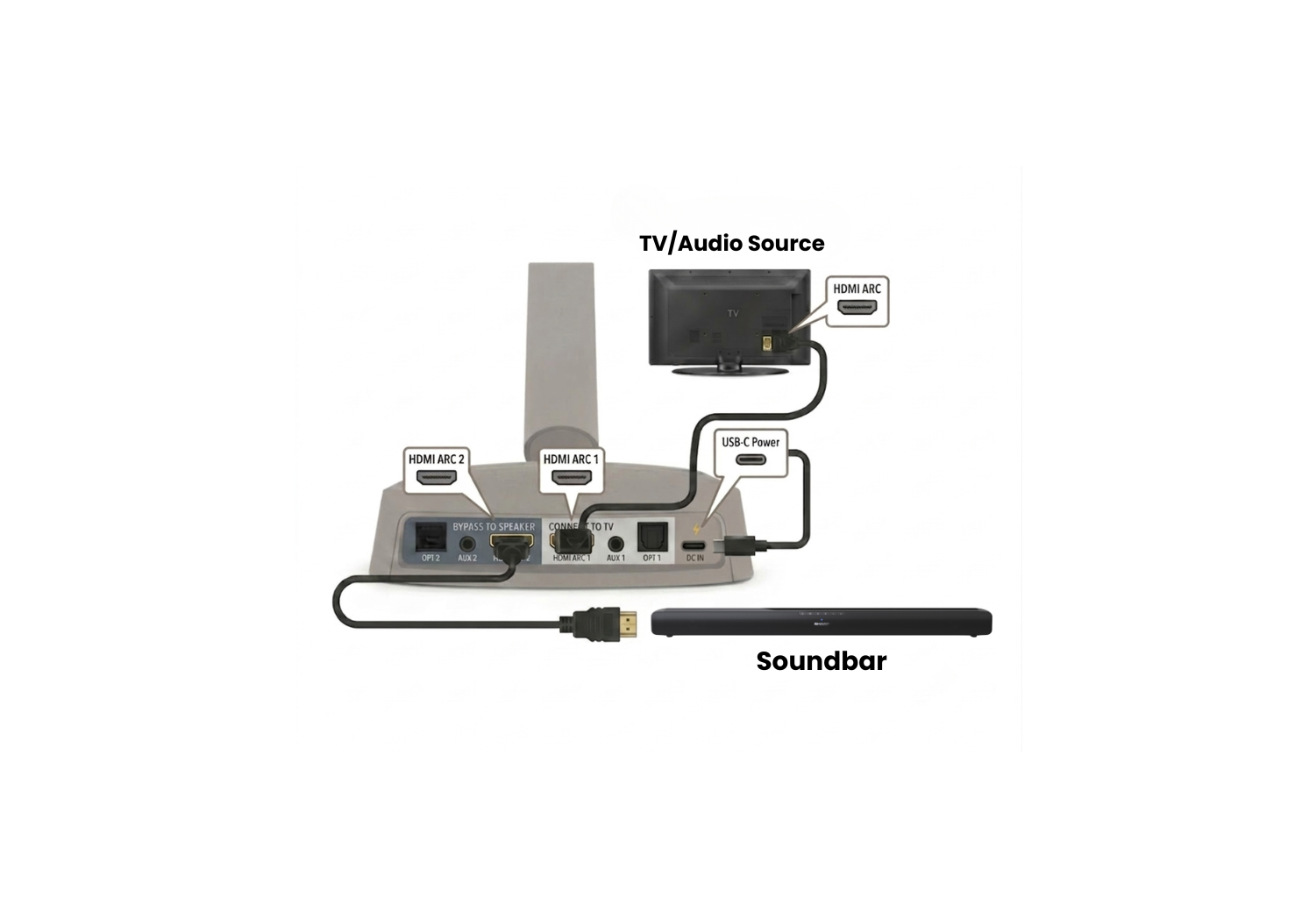
HDMI ARC passthrough

HDMI ARC connection

  1. TV HDMI ARC → transmitter HDMI ARC 1.
  2. Transmitter HDMI ARC 2 → soundbar HDMI ARC.
  3. Set SELECT INPUT to HDMI ARC 1+2.
HDMI ARC soundbars only. eARC is not supported.
HDMI ARC passthrough wiring from TV to Crescendo 3D transmitter and soundbar with Crescendo 3D headphones receiving wireless audio
TV → HDMI ARC 1; HDMI ARC 2 → soundbar.

Fix common problems

More Quick Fixes