Step 1
Power the transmitter.
Use the included cable and adapter.
Connect power
- Connect USB-C to the transmitter and the included adapter.
- Plug into a wall outlet. Slide power to ON.

Crescendo Me · 7100
Connect the transmitter to your TV, set the TV to PCM, then create an optional left-and-right personalized hearing profile in the Avantree app.

Start setup
Choose the option that works best for you.
★ We recommend the Crescendo Me kit for the best experience.
Recommended kit setup
Setup
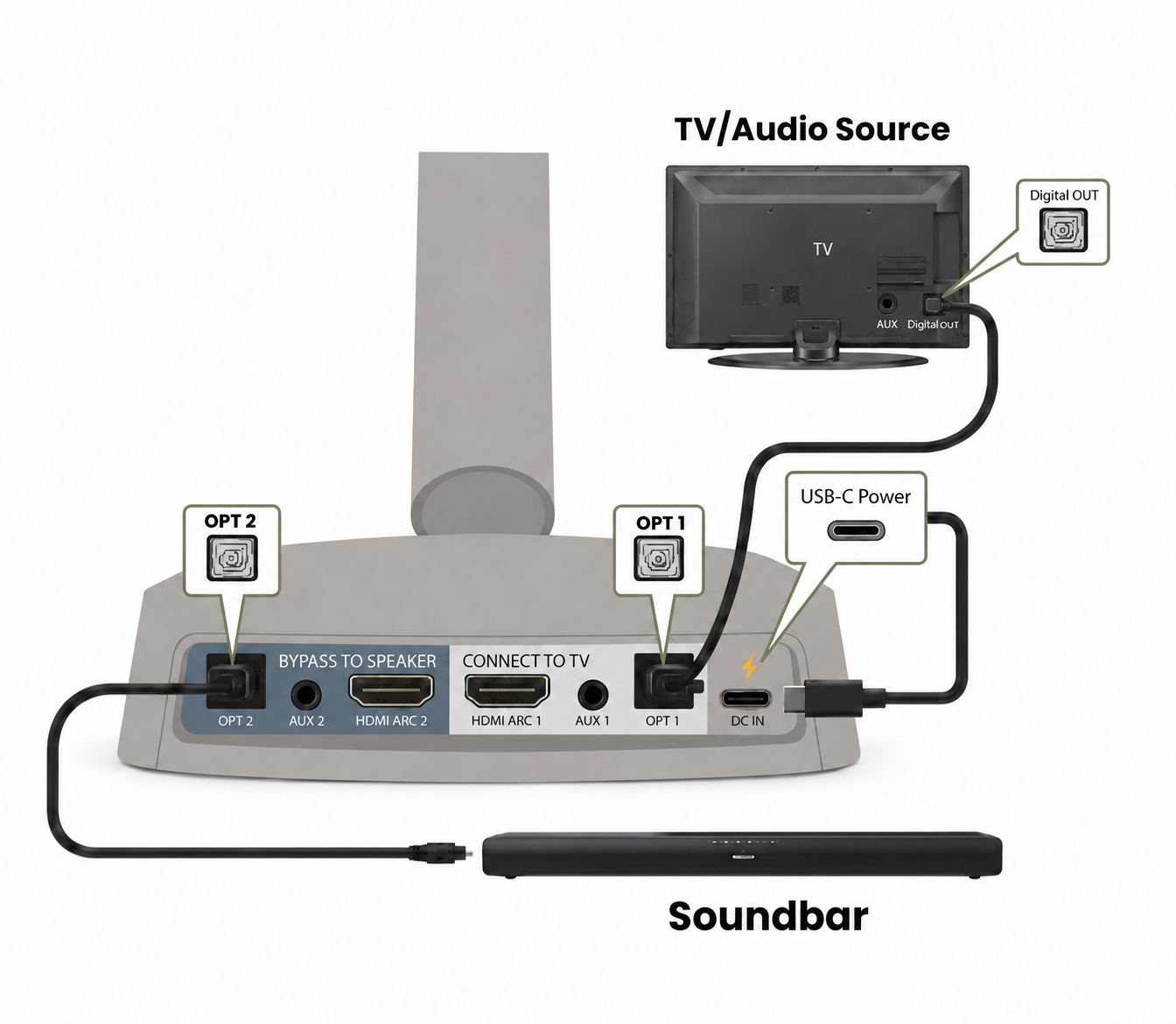
Optical is recommended. Use only one TV audio connection.
Step 1
Use the included cable and adapter.
Step 2
Look at the labels on the back or side of your TV.
Tap a connection to reveal its cable, switch position, and video.
Step 3
Use your TV remote. Match the settings to your cable.
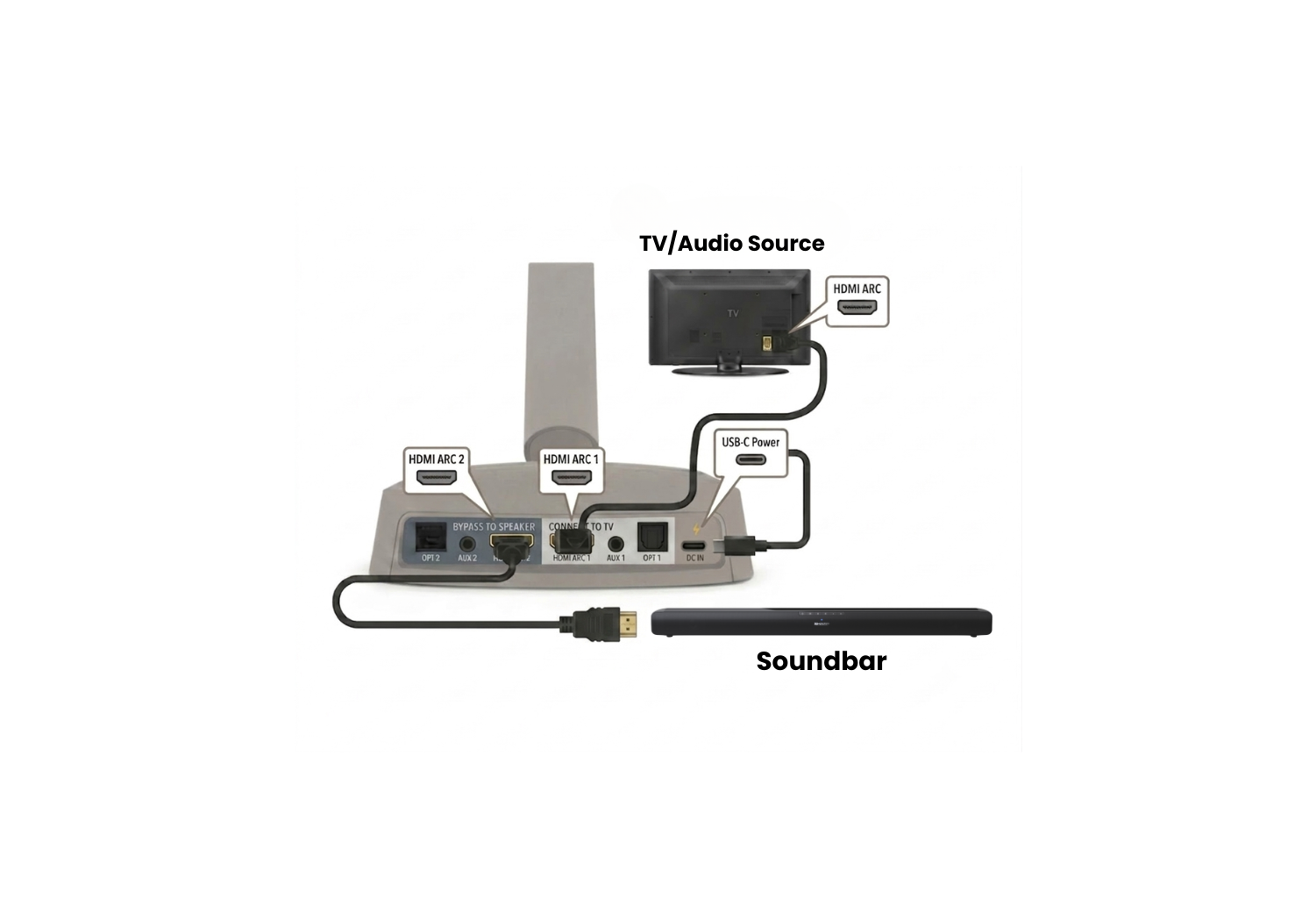
Crescendo Me uses HDMI ARC. If eARC is on, turn it off in the TV sound settings.
See how to disable eARC on your TV →No PCM setting needed.
Step 4
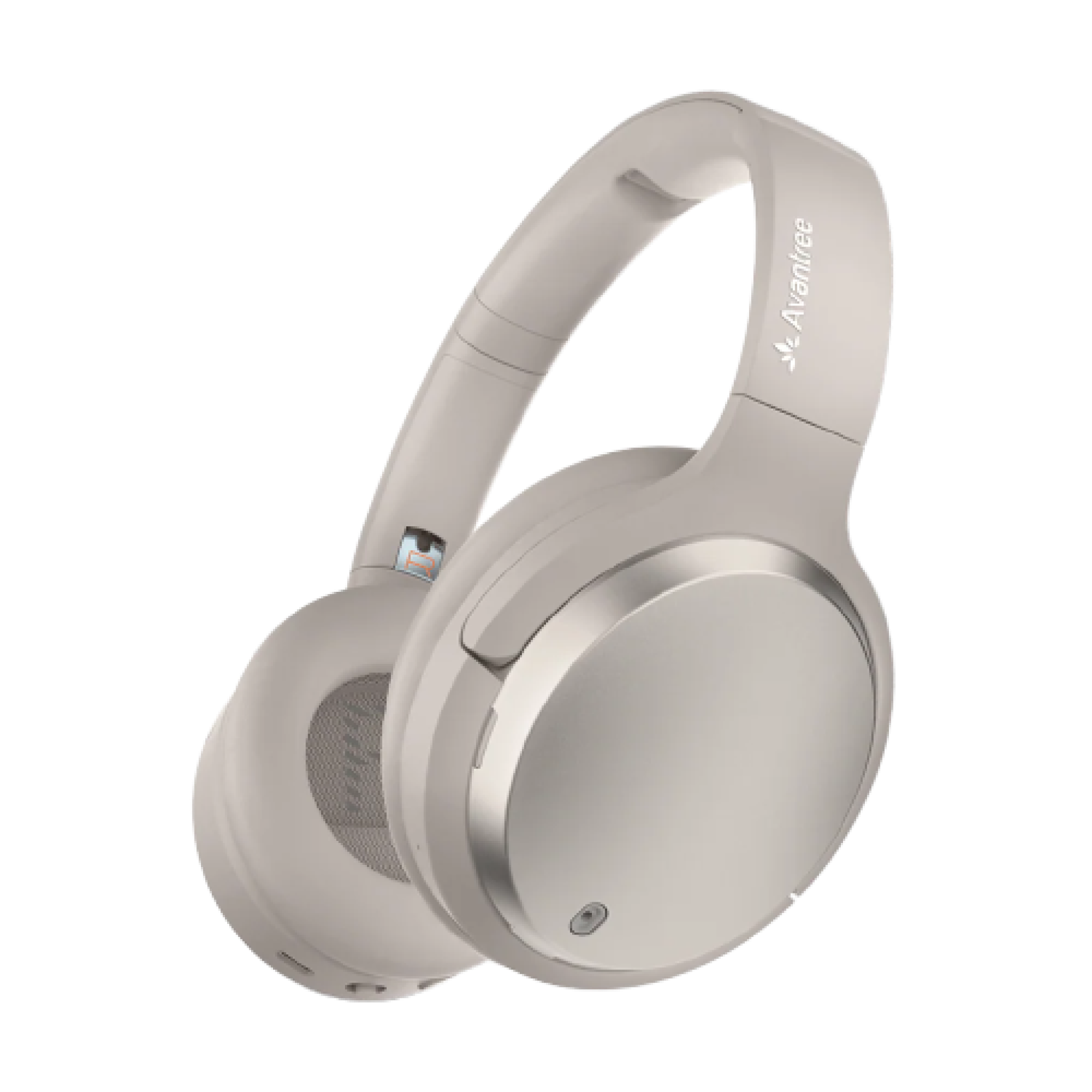
Connect the headphones to the base.
Bluetooth TV setup
For TVs with Bluetooth audio output.
Switch to Bluetooth. If needed, hold ⏯ for 3 seconds.
Choose it from the TV Bluetooth audio list.
Solid blue means connected.
Fix a problem
Each fix includes the expected result and a recovery path.
Expected: transmitter indicators light. If still dark, submit a ticket and include a photo of the power connection.
Expected: transmitter audio-valid light is solid white and TV audio plays. Open full no-sound guide →
Expected: both headphones and soundbar play stereo audio.
A regular HDMI input cannot send TV audio to the transmitter. Use Optical or AUX. HDMI ARC passthrough works only with ARC; eARC is not supported.
Expected: sound after switching to a supported TV output and matching transmitter input.
Expected: headphone LED changes to solid blue.
Personalized Hearing Profile
Watch the quick example, then follow four short steps. The hearing test takes about 3 minutes.
Choose the store for your phone.
Set the headphones to Bluetooth. In your phone’s Bluetooth list, tap Avantree Crescendo Me.
Look for: flashing red + blue before pairing, then solid blue.
Open the black Avantree app. Tap Activated Bluetooth device found → Crescendo Me → Connect.
Tap Crescendo Me → Custom Hearing. Follow the prompts for your left ear, then your right ear.
Daily use
Press EQ: Balanced ↔ Voice Clear.
Use the powered dock or USB-C. Solid red means charging; the light turns off when full (about 2.5 hours).
The Crescendo transmitter supports unlimited receivers. Add more headphones for family or group listening.
Reference
STILL NEED HELP?
Choose Crescendo Me / 7100 and include the TV model, cable type, selector position, LED states, and clear photos of the TV and transmitter ports.
DON'T WANT TO SUBMIT A TICKET?
Was this helpful?