Ensemble Pro Interactive User Guide | Avantree

Interactive User Guide · Ensemble Pro / BTHT-5150R

Clear TV dialogue at your own volume.

Connect the transmitter by Optical or AUX, then listen together through the included Auracast headphones at your own comfortable volume.

The headphones join the transmitter's Auracast broadcast—there is no Bluetooth pairing step for normal TV use.

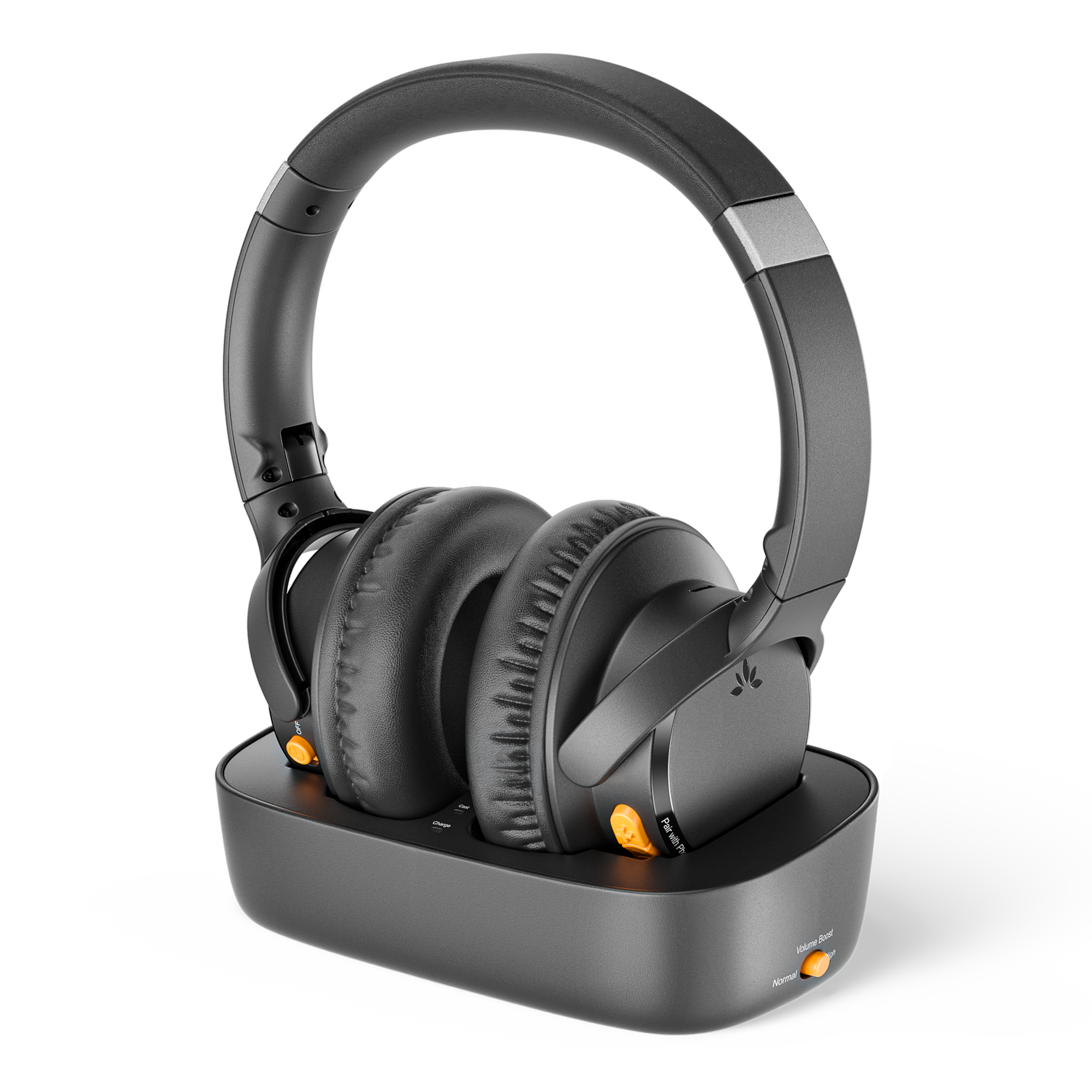
Ensemble Pro transmitter charging dock with Ensemble Aura headphonesOptical · AUXAuracast · up to 35 hours

Start setup

How do you want to connect?

Choose the option that works best for you.

★ Use the Ensemble Pro transmitter for the lowest-delay TV listening experience.

Volume and dialogue

Adjust volume in this order.

1. TV and transmitter

  • Using AUX? Raise the TV/source volume first.
  • Need more volume? Switch Volume Boost to ON (+6 dB).

2. Headphones

  • Set volume: raise it slowly.
  • Dialogue unclear? Try the Voice Clear EQ setting.

Daily use

Charge the headphones.

Use the powered dock or a USB-C cable.

Power & charging

About 2 hours for a full charge.

  1. Use the powered dock or USB-C with a 5 V, 1–2.4 A source.
  2. On the dock, align the charging contacts.
  3. Solid red means charging; the LED turns off when full.

Not charging? Reseat the headphones or USB-C cable and verify the power source.

Battery reference

Up to 35 hours of playtime. Actual time varies with volume, connection, and use.

Daily use

Use a soundbar and headphones together.

Match the input and output cable.

TV Optical audio enters the Ensemble Pro transmitter, passes from OPT OUT to a soundbar, and broadcasts wirelessly to the headphones
OPT IN → OPT OUT, or AUX IN → AUX OUT.
  1. 1Get headphone sound with Optical or AUX.
  2. 2Connect the matching OUT to the soundbar.
  3. 3Select that input on the soundbar.

HDMI ARC soundbar? Use the HAX06 extractor →

Private listening

Private Mode is coming soon.

Private Mode uses an encrypted, password-protected Auracast broadcast.

What to expect

The feature is not available yet. Avantree states that this feature will be added through a future DFU update. No updater or firmware page is currently published.

Until then

Use the open Ensemble Pro broadcast for normal TV listening. No action is needed until Avantree publishes an official update.

Register for product updates →

Quick fixes

Match what you see.

Each fix states the action, expected result, and next step.

Headphones won't join the transmitter
  1. Confirm the transmitter is on and playing TV audio.
  2. Keep the headphones close to the transmitter and at least 2 m from Wi-Fi routers or microwaves.
  3. Double-press if the LED is red + blue, then hold for 3 seconds until it flashes orange.
  4. Wait for solid orange.

Expected: solid orange and TV sound. If it still fails, hold + and together for 5 seconds to reset the headphones, then search again.

🔇Joined, but no TV sound
  1. Check the cable: use a TV audio OUT port and match the transmitter selector to OPT or AUX.
  2. Check the transmitter: a solid Audio Signal light means usable TV audio is arriving. If it blinks, correct the cable or TV settings first.
  3. Check the TV: for Optical choose Optical/External Speaker and set Digital Audio Format to PCM; for AUX choose Headphones and raise TV volume.
  4. Check volume: raise the TV volume for AUX, then raise the headphone volume and try the Voice Clear EQ setting.
  5. Restart: turn the transmitter OFF, then ON.

Expected: the Audio Signal light is solid and spoken dialogue plays. Still silent? Reopen Step 2 and follow the matching connection path from the beginning.

No light on transmitter
  1. Reconnect USB-C at both ends.
  2. Try a known-working 5 V USB adapter.
  3. Slide the transmitter switch to OFF, then ON.

If there is still no light, submit a support ticket with a photo of the power connection.

🔋Headphones will not charge
  1. Confirm the dock has power.
  2. Align the charging contacts and look for solid red.
  3. Try USB-C charging directly.
  4. Allow about 2.5 hours.

In the box

Everything included.

Ensemble Pro headphones, transmitter and charging dockHeadphones + transmitter charging dock
USB-C power cable
Optical cable
3.5 mm AUX cable

HDMI is not supported directly. For an HDMI-only TV, use the HAX06 HDMI ARC-to-Optical adapter (sold separately).

Reference

Connections, lights, and official help.

Quick reference

TV inputs
Optical or AUX
Solid orange
Headphones joined the Auracast broadcast
Flashing orange
Searching for an Auracast broadcast
Solid blue
Headphones connected by Bluetooth
Red + blue
Bluetooth pairing mode
Charge time
About 2 hours
Playtime
Up to 35 hours

STILL NEED HELP?

Get the right help for Ensemble Pro.

Choose Ensemble Pro / BTHT-5150R and include the TV model, Optical or AUX connection, LED pattern, and a clear photo of the TV and transmitter ports.