Skip to guide
PDF Guide
IT

Interactive user guide

Slumber 2 Setup Guide

Pillow speaker setup

Play phone audio by Bluetooth, use the 10 built-in sleep sounds, or connect an AUX cable.

Connect your phone and adjust the sound for sleep.

Avantree Slumber 2 pillow speaker and remote control

Listen from your phone

Prefer another option?

1 Turn on & enter pairing mode

  1. Slide the power switch to ON and look for the BT light flashing red and blue.
  2. Note: Fully insert the speaker plug into the remote to avoid no sound.

    BT light not flashing?

    If not in Bluetooth mode, press BT or Moon / BT button once.

    Hold the same button for 3 seconds, until the BT light flashes red and blue.
2 Connect your phone

  1. Turn on Bluetooth on your phone and select Avantree Slumber 2.

Connected: The Slumber 2 BT light is solid blue.

Continue to playback & volume

3 Play audio & adjust volume

  1. Play music or other audio on your phone.
  2. Set phone media volume to 80–100% to help prevent missing words.
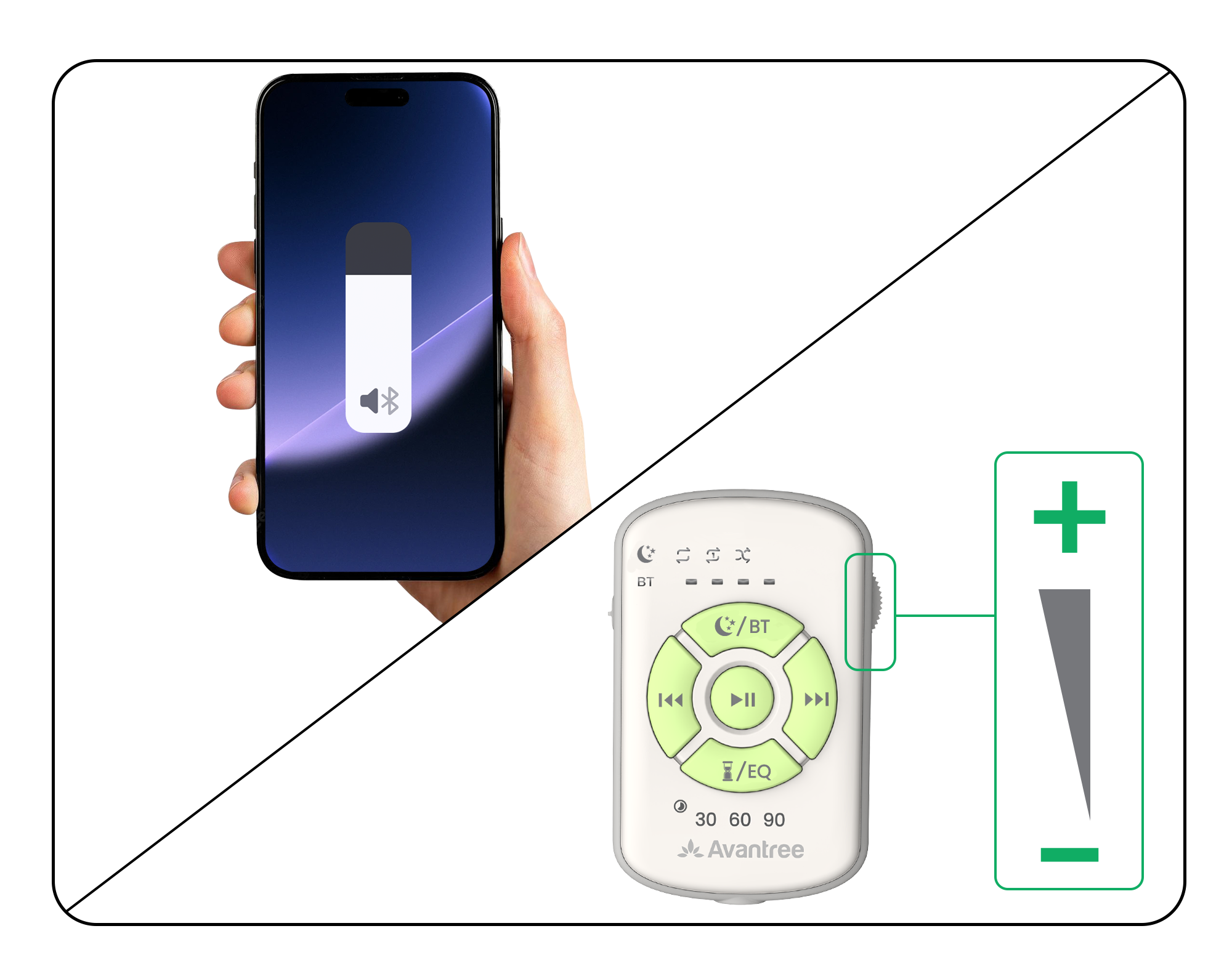
  3. Turn the remote wheel toward − or + for a comfortable listening volume.
Still too loud at the lowest remote volume?
Lower phone media volume gradually. If words go missing or audio cuts out, return to 80–100% and use the remote wheel.
Phone media volume and Slumber 2 remote volume wheel adjustment

Done: Audio is clear and comfortable while lying down.

Continue to placement tips

4 Place Slumber 2 for comfort

  • Need more volume? Place Slumber 2 on top of the pillow, near your ear.
  • Too loud? Place Slumber 2 inside the pillowcase.
  • For comfort: Face the zipper down.
Adjust placement for volume and comfort

You can also use Slumber 2 directly as your pillow.

Done: Lie down and check that audio is clear and comfortable.

If not: Check low volume or contact support.

More options

Remote buttons

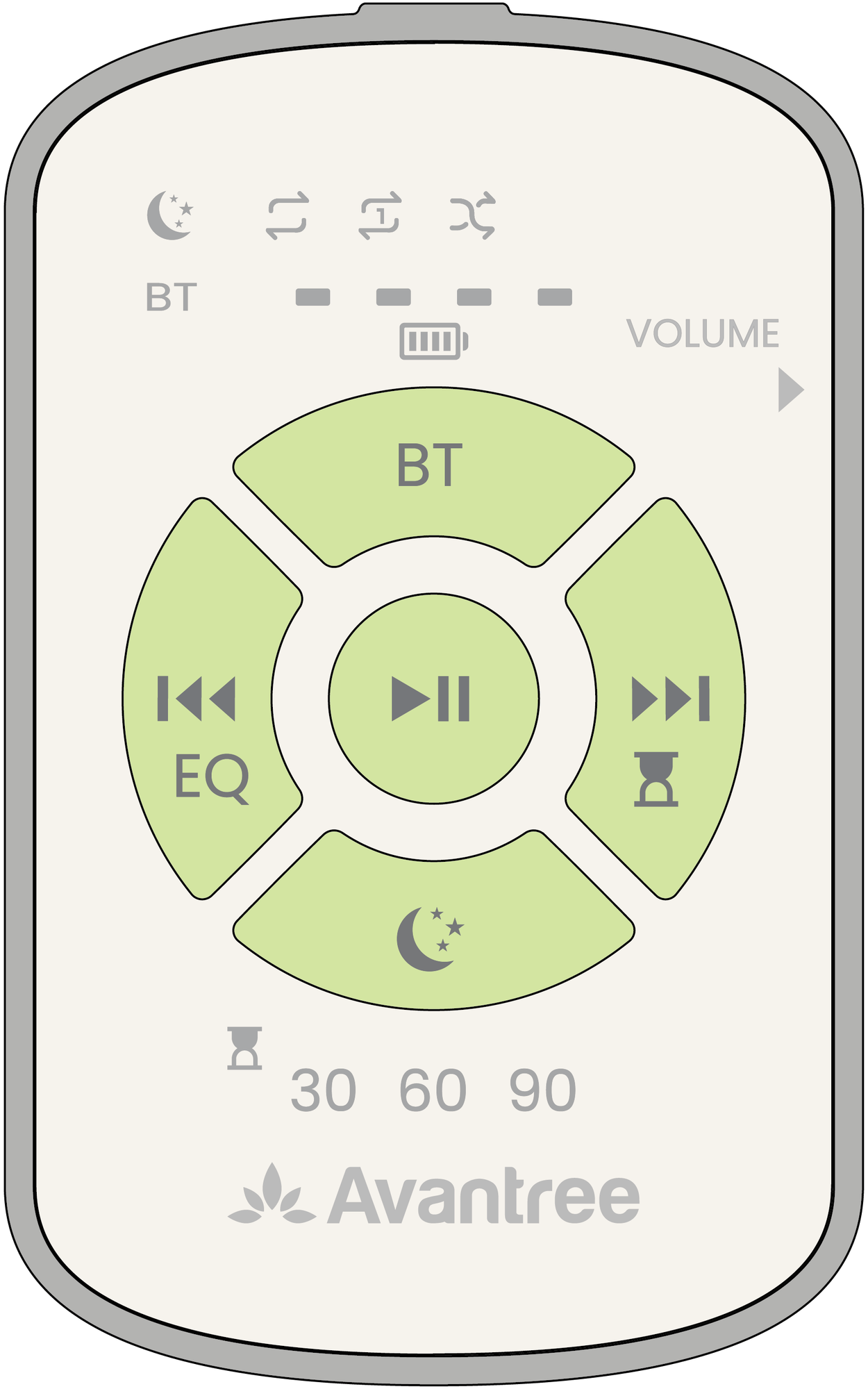
Slumber 2 Version A remote with separate BT and White Noise buttons
Separate BT button
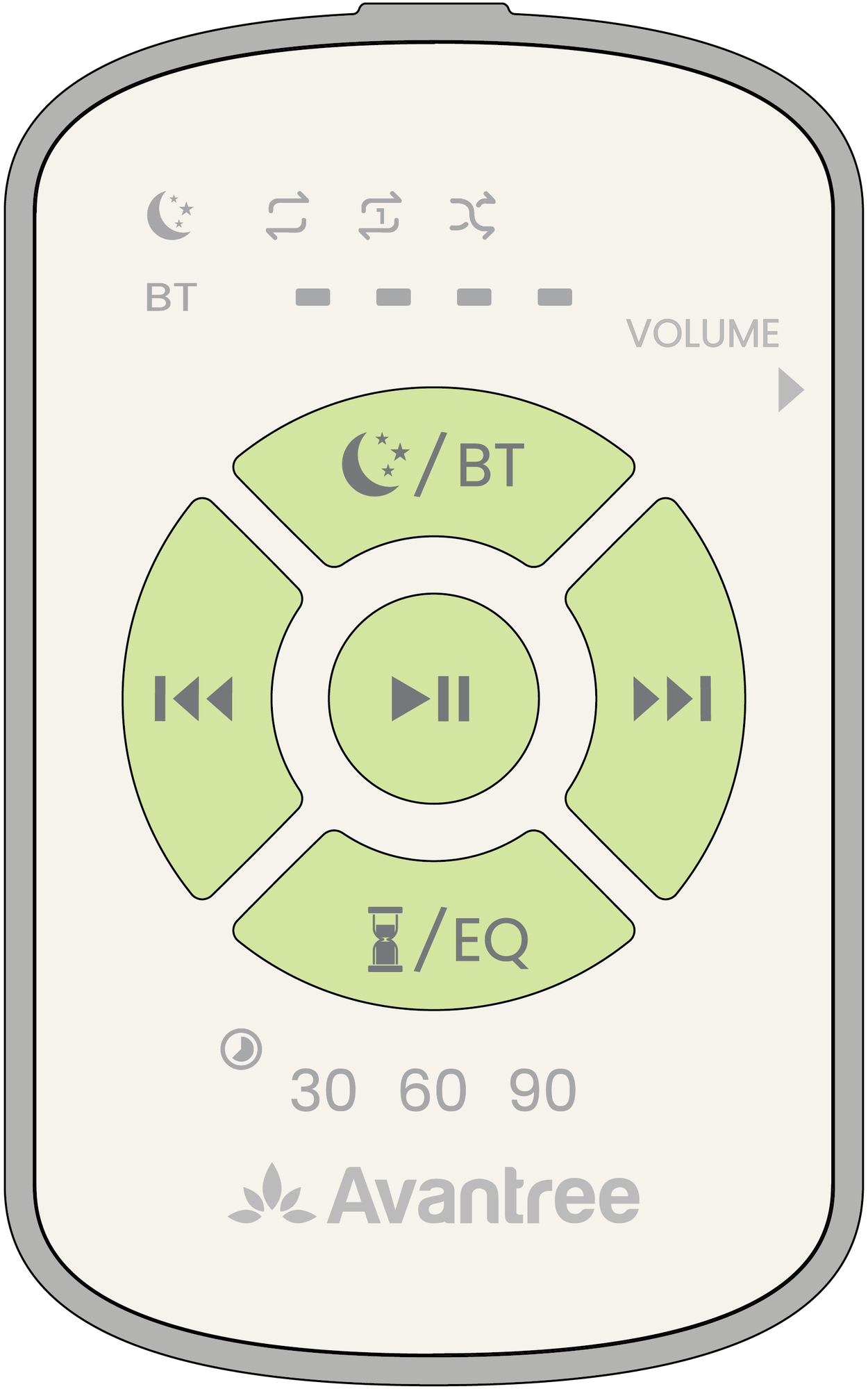
Slumber 2 Version B remote with combined White Noise and Bluetooth button
Moon / BT button
Slumber 2 Version A remote with separate BT and White Noise buttons

Version A controls

Power switch
Slide to ON or OFF.
BT BT
Press for phone Bluetooth audio.
Play / pause ▶Ⅱ
Pause or resume playback.
Volume wheel + / −
Turn to adjust listening volume.
More controls

Reference

Everyday features

Timer, charging, and care.

Charge the Slumber 2 remote

  1. Connect USB-C to the Slumber 2 remote.
  2. Plug into a 5V / 0.5–2A charger.
  3. Allow about 1.5 hours to charge.

Charge now: The left white battery light flashes below 10%.

Connect USB-C to charge the Slumber 2 remote

More options

Set the Slumber 2 sleep timer

Use the timer in Bluetooth or White Noise mode. Choose 30, 60, or 90 minutes.

  1. Turn on Slumber 2 and play audio. If the battery light flashes white, charge first.
  2. Press your timer button: Next track / timer button or Timer and EQ button.
  3. Press again to cycle 30 → 60 → 90 minutes → off.
  4. Stop at your time. The timer light turns solid white.

Done: Slumber 2 turns off when the selected time ends.

Timer not working? Charge the remote, then set the timer again. To cancel, press the same button until the timer is off.

Set or cancel the 30, 60, or 90 minute timer

Wash the Slumber 2 pillowcase

Remove all electronics. Hand- or machine-wash the pillowcase. Reinstall electronics only when fully dry.

Remove electronics before washing; reinstall after drying

Need more help?

Our support team is here for you.

Contact Support