Step 1
Choose your TV audio OUT
Choose the first available output below.
Which TV output do you have?
Choose your TV connection.
Done
Using a soundbar? Complete headphone setup first. Then connect the matching passthrough output.

Interactive user guide
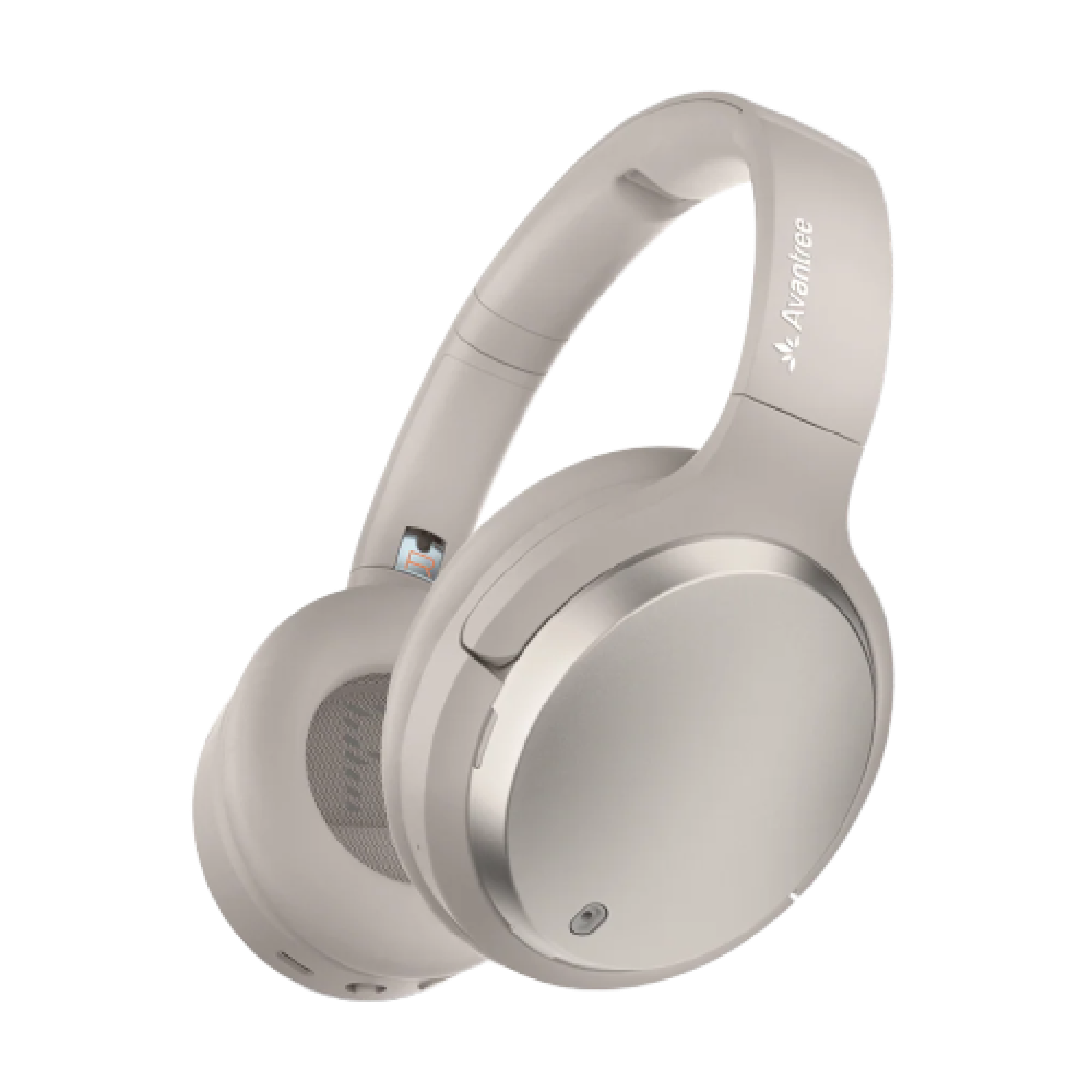
 Headphones
HDMI ARC · Optical · AUX
Personalized sound · up to 60 hours
Setup
Optical is recommended. Use one connection.
Step 1
Choose the first available output below.
Choose your TV connection.
Step 2
Power the transmitter, then connect the cable selected in Step 1.


No PCM setting is needed.
If notIf the light flashes white, recheck the cable, SELECT INPUT switch, TV Sound Output, and audio format.
Step 4
Connect the headphones to the transmitter.
Personalized Hearing Profile
Four steps. The test takes about 3 minutes.
Choose the store for your phone.
Set the headphones to Bluetooth. In your phone’s Bluetooth list, tap Avantree Crescendo Me.
Look for: flashing red + blue before pairing, then solid blue.
Open the black Avantree app. Tap Activated Bluetooth device found → Crescendo Me → Connect.
Tap Crescendo Me → Custom Hearing. Follow the prompts for your left ear, then your right ear.
Daily use
Press the EQ button once to switch between:
Use the powered dock or USB-C. Solid red means charging; the light turns off when full (about 2.5 hours).
The Crescendo transmitter supports unlimited receivers. Add more headphones for family or group listening.
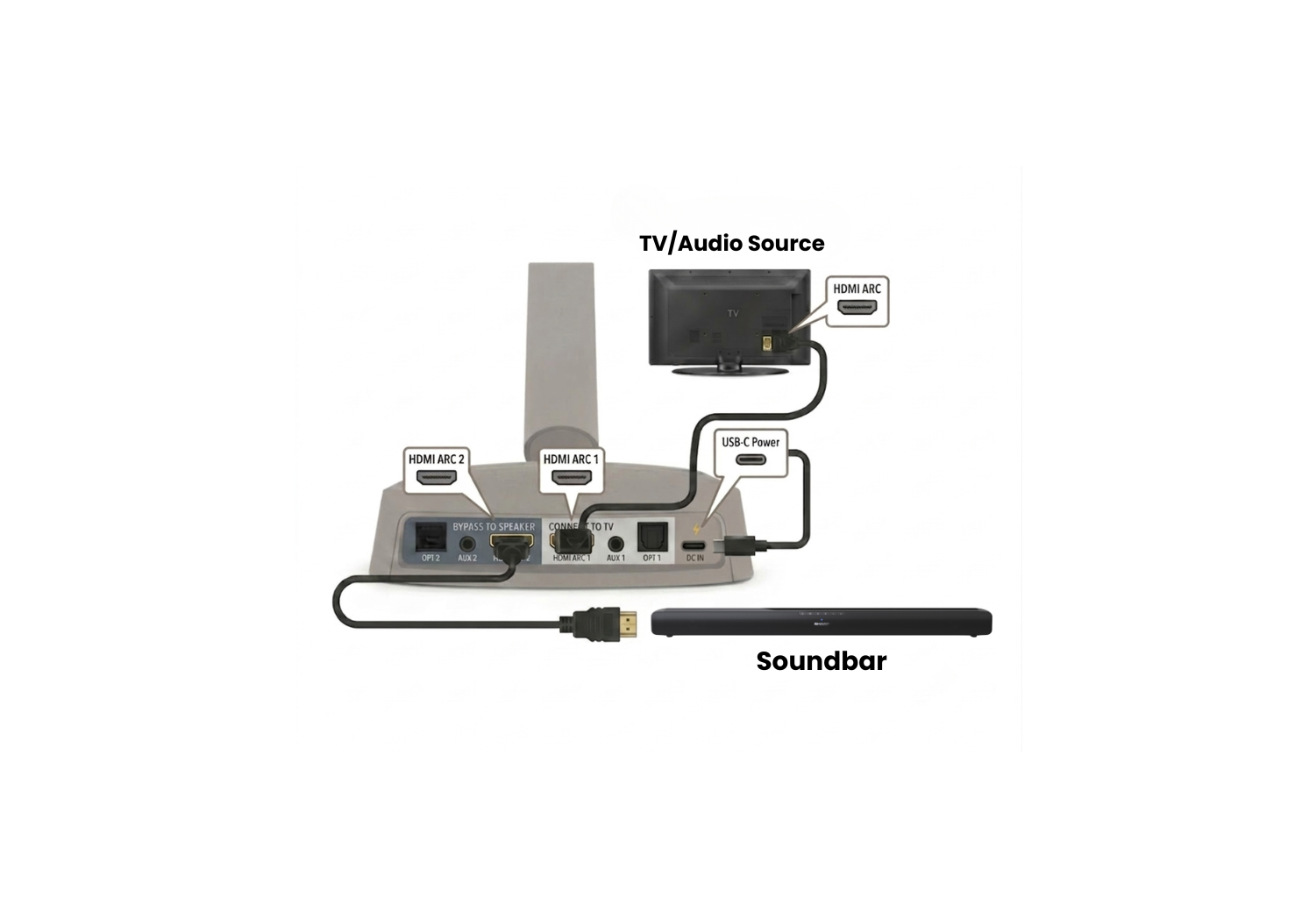
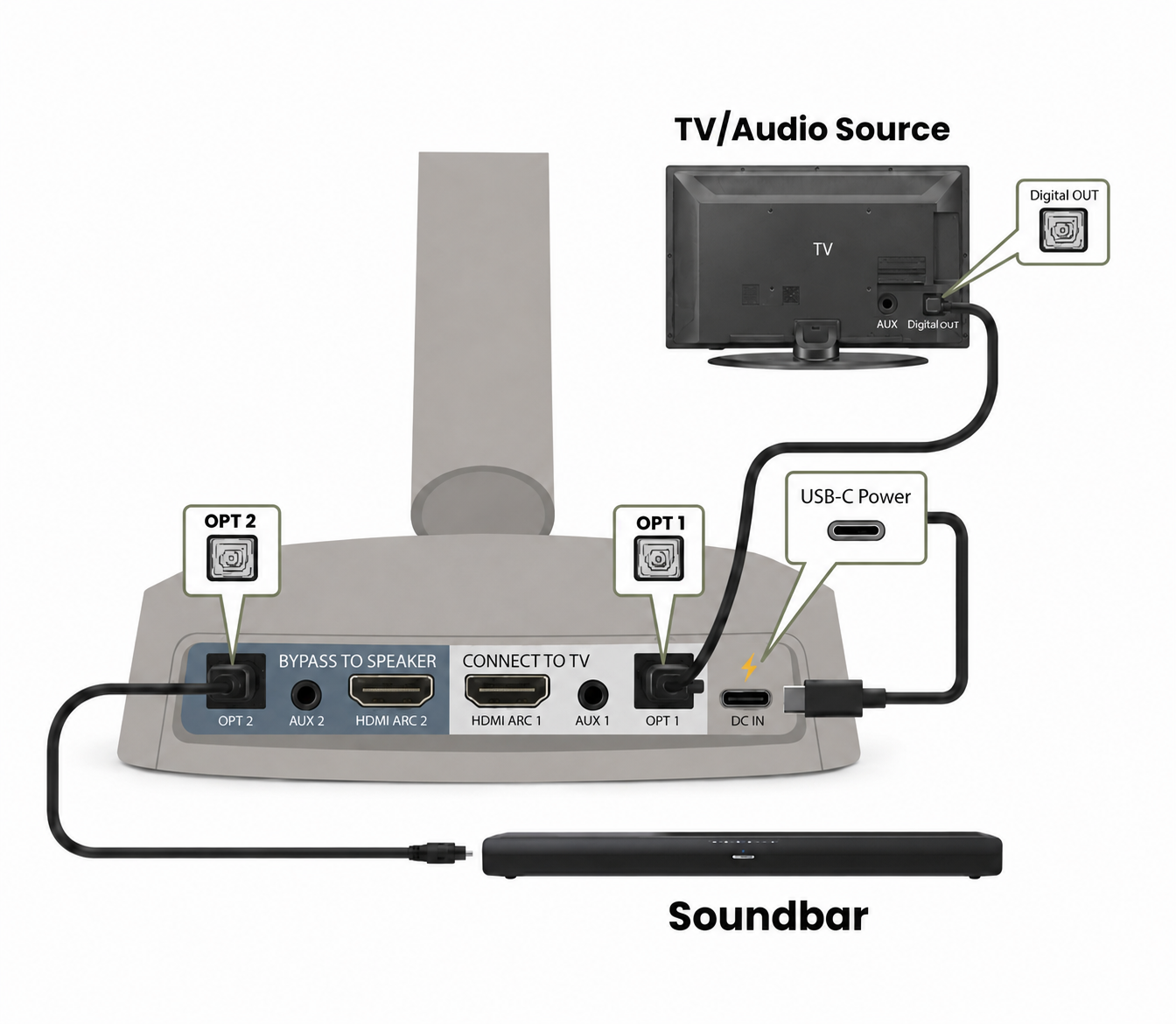
Soundbar passthrough
Choose the connection that matches your soundbar.
Optical passthrough
HDMI ARC passthrough