Turn the base OFF
Base light: off

Interactive user guide
 Ensemble base→
 Headphones
Use the included Ensemble base. Your headphones are pre-paired.
 Pre-pairedLow delay
Step 1 of 4 · Cable
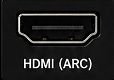
Find an audio OUT port on your TV. Choose one cable below.
Not sure? Take a photo of your TV ports.
Contact Support →both square plugs are fully inserted.
Next: power on the devices →
both plugs are fully inserted.
Next: power on the devices →
Step 2 of 4 · Power
Connected? Set the TV audio next →
Otherwise, no sound.
Place the headphones on the charging contacts. Once the headphones can turn on, continue setup. A full charge takes about 2 hours; you do not need to wait for a full charge.
Not connected? See pairing steps →
Next: set the TV sound →Step 3 of 4 · TV sound
Use your TV remote.
✓PCM or Stereo
Why PCM? PCM is an audio format the transmitter supports.
Choose your TV brand:
These may cause silence.
Step 4 of 4 · Listen
After completing the TV sound settings:
Success: solid blue connection light + TV sound through the headphones.
TV Bluetooth · Higher delay
Audio behind the picture? Use the recommended base setup.
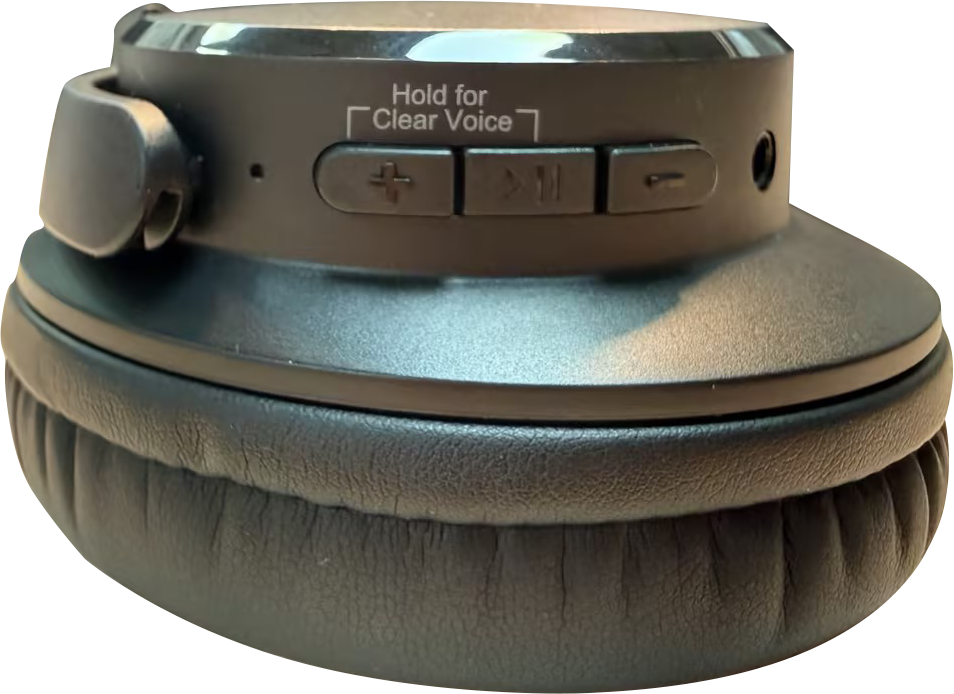
Right earcup: ON/OFF · ▶⏸ · LEDBase: ON/OFF
See buttons and lights →Base light: off
Turn headphones ON. Hold ▶⏸ for 5 seconds.LED: red + blue flashing
TV Bluetooth audio list → Ensemble.
LED: solid blue
Success: solid blue + TV sound
No TV Bluetooth?
After setup
Start with the headphone controls.
Press + or − on the right earcup.
Optical: TV volume may be fixed.
AUX: use the TV remote.
Press and hold ▶⏸ and + together.
Clear Voice: clearer speech
Balanced: natural sound
Optional setup
Most Bluetooth headphones are supported. For low delay, we recommend the matching AS50Q headphones →
Connected: the base and new headphones turn solid blue.
Next time: turn on the base and first headphones first. Then turn on the second pair.
Daily use
Use the powered base or USB-C.
Full charge: about 2 hours.
Not charging? Reseat the headphones or USB-C cable. Check the power source.
Video guide
One video shows the complete Ensemble setup.
Watch on YouTube →