RELAY / TC218 · INTERACTIVE GUIDE
Connect Relay to your headphones.
Relay sends airplane or 3.5 mm audio to Bluetooth headphones.
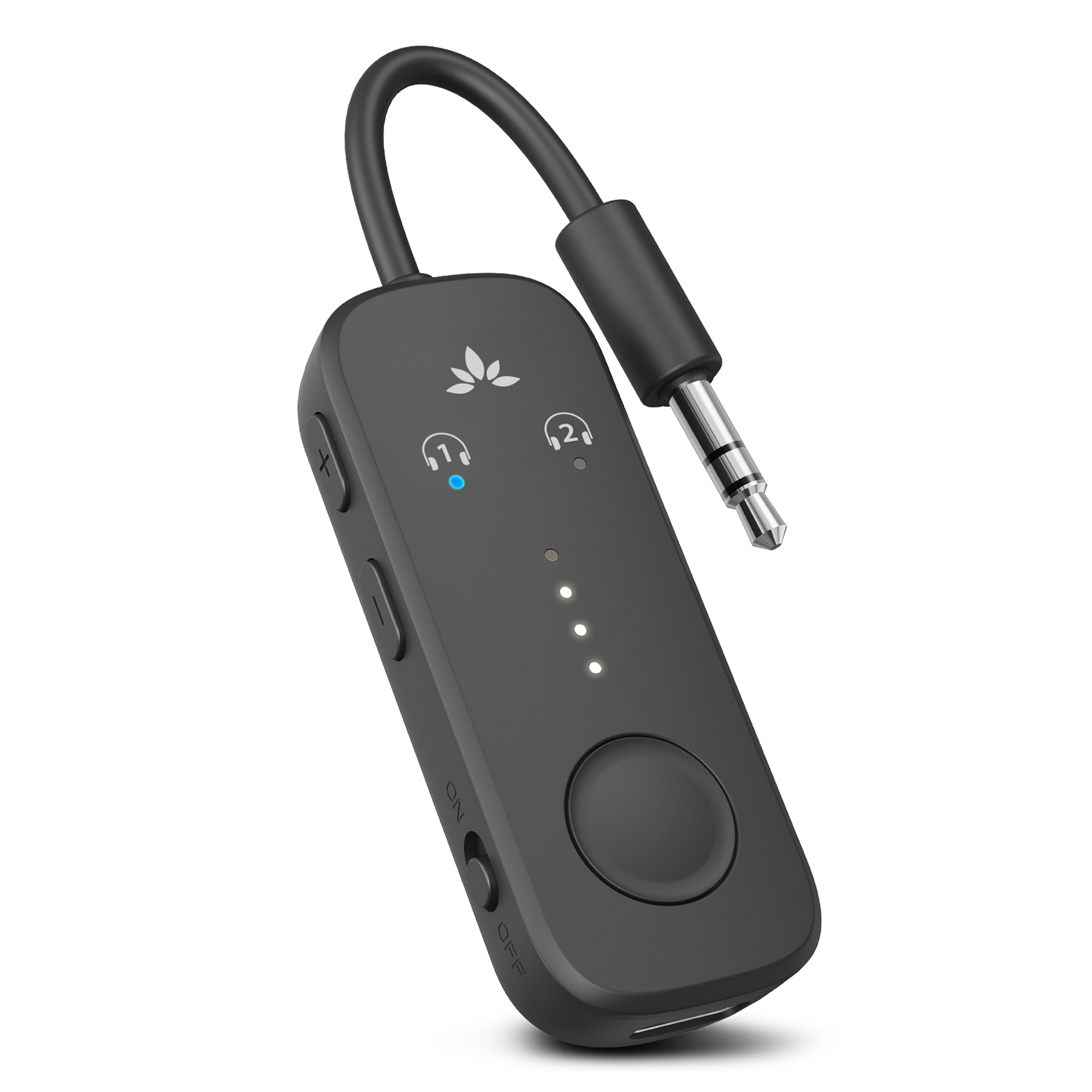
Do not select Relay on your phone. Pair the headphones directly with Relay.
QUICK SETUP
Four short steps
Which headphones are you using?
Tap one option. We’ll show only the instructions you need.
PAIRING MODE
AirPods 1–3 / AirPods Pro
- Keep the earbuds in the case and open the lid.
- Hold the button on the back for about 5 seconds.
- Ready when the case light flashes white.
Turn on Relay.
Keep Relay within 3 ft / 1 m of your headphones.
Look for alternating red + blue lights.
Only blue? Hold the large round MFB for 2 seconds.
Wait for solid blue.
Pairing normally takes a few seconds.
If red + blue keeps flashing, put the headphones back into pairing mode.
Plug in and press play.
Use a 3.5 mm headphone / AUDIO OUT port.
IMPORTANT — CHECK ALL 3 VOLUMES
✓ Done: solid blue light + sound in your headphones.
FIX A PROBLEM
What do you see?
Only blue is flashingRelay is not in pairing mode
- Hold MFB for 2 seconds.
- Wait for alternating red + blue.
- If nothing changes, turn Relay off and on.
Red + blue, but no connectionHeadphones may not be ready
- Turn off Bluetooth on nearby phones.
- Put the headphones into pairing mode again.
- Keep both devices within 3 ft / 1 m.
Solid blue, but no soundCheck all three volume controls
- Raise the airplane screen or source volume.
- Raise Relay with its + button.
- Raise the headphone volume and check the plug.
②Only one headphone worksPair the second headphone separately
- Keep headphone 1 connected.
- Hold Relay MFB for 2 seconds.
- Put headphone 2 in pairing mode.
- Both Relay headphone lights should be solid blue.
Does Relay turn itself off? No. Use the side switch to turn Relay OFF after use.
More information Buttons, lights, charging and help
Buttons
MFB Hold 2 sec: pairing
MFB Press once: reconnect
+ and − Hold 6 sec: clear pairings
Lights
Red + blue Pairing
Solid blue Connected
Blue / 5 sec Not connected
Charging
USB-C · about 2 hours
Battery LEDs off = fully charged
Up to 25 hours playtime