Turn off the transmitter
This stops reconnection to the transmitter.

Interactive User Guide · HT5009 Plus / BTHT-5009P
Get clear TV sound with low delay. We show the right cable and TV setting.
First use: charge for 3.5 hours by USB-C or 5.5 hours on the dock. You can set up while charging.
 Headphones + transmitterOptical or AUX audio
Start setup
For the best lip sync, use the supplied transmitter.
How the recommended setup works
Do not open the TV Bluetooth menu. Connect the transmitter to one TV audio output with a cable.
Recommended kit setup
Follow the four steps in order.
Step 1
Place the headphones on the charging contacts. Full charge: 3.5 hours by USB-C or 5.5 hours on the dock. You can keep setting up.
Step 2
Check the back or side of your TV. Match the socket label below.
Tap the socket label you see. Only HDMI ARC? Choose HAX06.
Use the purple cable selected above.
Use the blue cable selected above.
Step 3
Using Optical? Check these two TV settings.
Used Optical? Complete both settings below.
Step 4
They are already paired. No pairing is needed for first setup.
TV Bluetooth setup
Use this only if your TV has Bluetooth audio.
Expect more audio delay. Voice out of sync? Use the transmitter setup.
This stops reconnection to the transmitter.
Turn on the headphones. No red + blue flash? Hold PAIR for 3 seconds.
Open the TV Bluetooth device list. Select AS19.
Wait for solid blue. Play TV sound and adjust the volume.
Success: solid blue LED + TV soundThe headphones are connected directly to the TV. The HT5009 Plus transmitter is not carrying the audio in this mode.
TV has no Bluetooth audio?
Daily use
Use the powered dock or plug USB-C into the headphones.
Power & charging
Not charging? Place the headphones back on the charging pins, or reseat the USB-C cable and confirm the power source works.
Quick fixes
Tap the light or sound that matches your problem.
Expected: solid blue means connected. If not, open the official HT5009 Plus troubleshooting page for re-pair/reset instructions.
Expected: dialogue plays without changing the Bluetooth settings on the TV.
If the transmitter still shows no light with a known-working power source, submit a support ticket.
Expected: the blue light becomes solid.
Direct TV Bluetooth is optional and may have more delay than using the supplied transmitter. A TV without Bluetooth should use the transmitter and an audio cable.
The exact option depends on the TV model, not the HT5009 Plus headphones.
Expected: speech becomes louder and clearer. HT5009 Plus is designed for mild to moderate hearing difficulty, not severe hearing loss.
Video guide
Watch the official HT5009 Plus setup overview.
Watch on YouTube →Check each included part before setup.
 Headphones + charging base
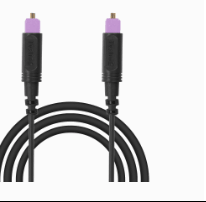 Optical cable
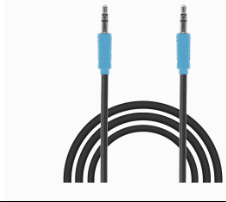 AUX cable
Use only one audio cable: Optical or AUX.
View product details →Reference
STILL NEED HELP?
For the fastest help, submit a ticket. Choose HT5009 Plus / BTHT-5009P. Add your TV model, cable, light pattern, and photos.
DON'T WANT TO SUBMIT A TICKET?
Was this helpful?
