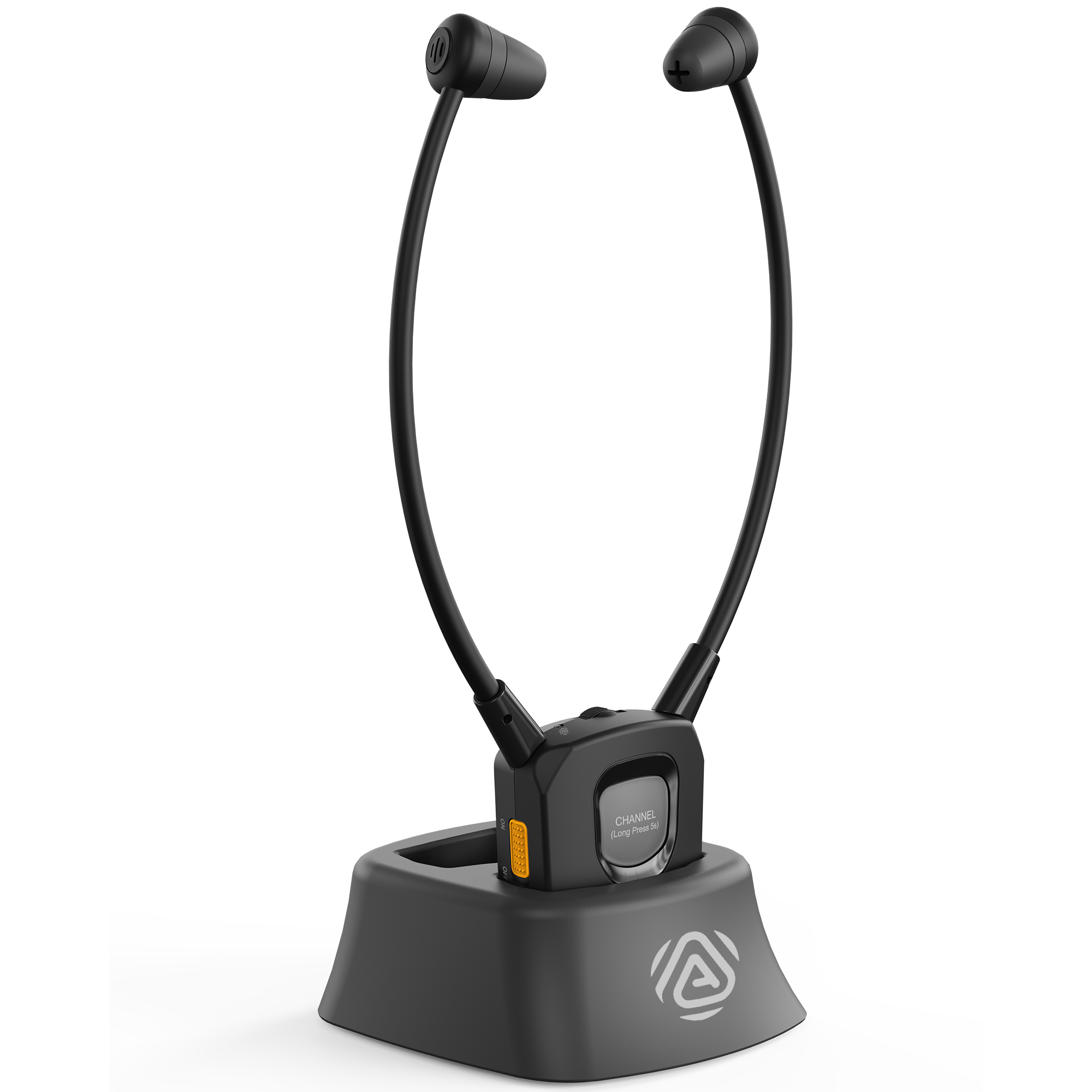
Hold CHANNEL for about 5 seconds.
The white indicator flashes while AuraBand searches for a different Auracast broadcast.
Interactive User Guide · AuraBand / BTHS-391
AuraBand is a personal Auracast receiver for churches, senior centers, clinics, events, and other compatible venues. Power on to find an open broadcast, then adjust volume and left/right balance for you.
Auracast receiverStart setup
Choose the path that matches the venue. Most public broadcasts are open and connect without an app.
Confirm the Auracast transmitter is broadcasting.Ask the venue if you are unsure. Stay close to the transmitter during setup.
Slide the AuraBand power switch to ON.The white indicator flashes while AuraBand searches.
Wait for the white indicator to stay solid.That means AuraBand joined the broadcast. Put on the earbuds and adjust volume and left/right balance.
Still flashing? Confirm the transmitter is active, move closer, and power AuraBand off and on once. AuraBand supports Auracast only—not Classic Bluetooth or 2.4 GHz.
Availability note: The supplied manual says AuraBand support in the Avantree app is planned for mid-to-late September 2026. Before support appears in the app, AuraBand can join open broadcasts only.
Turn AuraBand on.Double-click the CHANNEL button. Alternating white and red flashes mean it is waiting for the app.
Add the receiver.Tap Add device / Search devices, select BTHS-391, and complete the BLE connection.
Select the Auracast broadcast.Search in the app, choose the target broadcast, enter the venue password, and connect.
Important: BLE is used only for app control and broadcast selection. It does not carry phone audio, so do not pair AuraBand in the phone's regular Bluetooth audio list.
Use AuraBand
The white indicator flashes while AuraBand searches for a different Auracast broadcast.
Solid white means the receiver joined another broadcast. Listen to confirm it is the one you want.
AuraBand automatically returns to the original broadcast. Move closer to the intended transmitter and try again.
Fix a problem
Expected: the white indicator stays solid and broadcast audio begins.
If AuraBand finds no other broadcast, it returns to the original one. Move nearer the intended transmitter and repeat.
Expected: clear audio at a comfortable level in both ears.
If AuraBand is not listed in the app yet, use an open broadcast and check the product support page for availability updates.
This is expected. AuraBand receives Auracast broadcasts only. It does not support Classic Bluetooth audio or 2.4 GHz connections.
Use a compatible Auracast transmitter or venue broadcast instead.
Expected: the dock light is solid red while charging and turns off when charging is complete.
Reference

The battery is removable and replaceable. Contact Avantree Support for the correct replacement.
Still need help?
Select AuraBand / BTHS-391 / VRC-391. Include the venue or transmitter model, symptom, light pattern, and photos if useful.
The form accepts photos or screenshots and routes product-specific questions.
Start support request →